Sticky Horizontal
Five frame-wide panels on a flex track, driven by a single 12 s @keyframes on an infinite loop: 2.16 s of rest per panel, a 240 ms linear slide, then a 600 ms rewind back across the four panels. No scroll, no JavaScript, no listener: measured, wheel, hover and click change nothing — the band keeps turning on a screen nobody touches.
Updated
This effect is part of Effect.Labs — 840 vanilla effects, some free, some premium. Scroll has 74 effects, including 12 free. Explore the category →
3 usage examples

How it works
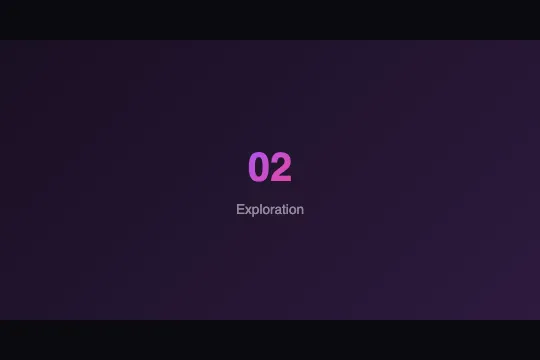
Anatomy: .sticky-h-viewport (width: 100%, height: 280px, overflow: hidden) holds .sticky-h-track, a flex box as tall as the frame, which lines up five .sticky-h-panel at min-width: 100%: each panel is as wide as the track — hence as wide as the frame — and the five overflow four times to the right (measured on a blank 800 px page: frame 784 px, track 784 px, scrollWidth 3,920 px). Each panel is a centred flex column (gap: 12px, padding: 24px) carrying a number .panel-number — 2.5rem, i.e. 40 px, font-weight: 800, a #a855f7 → #ec4899 gradient cut into the glyphs by background: … text and -webkit-text-fill-color: transparent — and a label .panel-label (.85rem, 13.6 px, white at 50%). Five nth-child backgrounds, one 135° gradient each: #0f0f23 → #1a1a3e, #1a0f23 → #2d1a3e, #0f1a23 → #1a2d3e, #1a230f → #2d3e1a, #230f1a → #3e1a2d.
The clock: animation: 12s linear 0s infinite normal none running slideHorizontal on the track. The keyframes hold translateX(0) from 0 to 18%, -100% from 20 to 38%, -200% from 40 to 58%, -300% from 60 to 78%, -400% from 80 to 95%, then 0 at 100%. The translateX percentages refer to the track's own width, that is one panel: each step shifts by exactly one panel. Measured timeline, identical in Chromium, Firefox and WebKit: panel 1 from 0 to 2.16 s, slide from 2.16 to 2.40 s (784 px in 240 ms, 3.3 px/ms, linear so no easing), panel 2 from 2.40 to 4.56 s, panel 3 from 4.80 to 6.96 s, panel 4 from 7.20 to 9.36 s, panel 5 from 9.60 to 11.40 s — only 1.8 s, its step is just 15%. From 95 to 100% the track goes back from -400% to 0 in 600 ms: a rewind that crosses panels 4, 3 and 2 backwards at 5.2 px/ms (measured: -300% at 11.55 s, -200% at 11.7 s, -100% at 11.85 s). The cycle restarts on panel 1 at 12.0 s.
What the code is not: there is no position: sticky, no scroll container, no JavaScript (the js key is empty), no id, no CSS variable, no listener. Measured: 1,000 ms of wall clock is 1,000 ms of animation; five 120 px wheel notches, vertical then horizontal, over the frame leave scrollLeft and scrollTop at 0 and the animation running; hover leaves it running; so does a click. Only transform changes: the motion stays on the compositor, no layout per frame. The consequence cuts both ways: the timeline depends on nothing (lobby screen, kiosk, shop-floor wall), and it obeys nothing — nothing pauses it, nothing brings a reader back to the previous panel. Three leftovers from the catalogue: the .demo-preview prelude (min-height: 300px, flex centring) leaves two 10 px bands of #0a0a0f above and below the 280 px frame; the labels "Decouverte", "Creation", "Iteration" are French words written without their accents; the name slideHorizontal is generic — another @keyframes of the same name declared later in the page would replace this one.
Accessibility
- prefers-reduced-motion is absent from the code: measured with the preference on, the animation is
runningand the timeline identical (2.16 s, 240 ms, 600 ms rewind). Add@media (prefers-reduced-motion: reduce) { .sticky-h-track { animation: none } }— but on its own that fallback leaves only the first panel visible: complete it with.sticky-h-viewport { overflow-x: auto; scroll-snap-type: x mandatory }and.sticky-h-panel { scroll-snap-align: start }, the clock stops and all five panels stay reachable by finger or wheel. - No pause, no stop (WCAG 2.2.2: content that moves on its own for more than 5 s must be pausable): no button, no hover — measured,
animation-play-statestaysrunningunder the pointer. The minimum is one rule:.sticky-h-viewport:hover .sticky-h-track, .sticky-h-viewport:focus-within .sticky-h-track { animation-play-state: paused }; better, a button that sets an.is-pausedclass. On a screen with no user — kiosk, shop-floor wall — the rule has no object, and that is exactly where this effect belongs. - Contrast: the 50% white label measures from 4.17:1 (panel 4,
#2d3e1aend) to 5.31:1 on the five backgrounds — compliant everywhere except the light edge of panel 4 (4.5:1 threshold). The number, 40 px bold, is large text (3:1 threshold): 3.56 to 5.35:1 on panels 1, 2, 3 and 5, but 2.92:1 for the pink#ec4899end on panel 4. On a light page, if the panels lose their dark backgrounds the label vanishes (white on white): replacergba(255, 255, 255, .5)with a solid colour. - Screen readers and keyboard: the five panels stay in the DOM and in the accessibility tree whatever their position — a reader reads the five labels in order, and nothing is announced when the panel changes since nothing changes in the DOM. For a decorative band, set
aria-hidden="true"on.sticky-h-viewport. If you put links inside the panels, keyboard focus can land on a panel translated outside the frame, invisible underoverflow: hidden: pause the animation on:focus-withinand let the browser scroll (overflow-x: auto), or keep the panels inert.
Browser compatibility
CSS only: @keyframes and transform: translateX(), flexbox, background-clip: text through the background: … text shorthand and -webkit-text-fill-color. Not a line of JavaScript, no CSS variable, no resource. It is a classic time-based animation: it runs in Firefox, unlike the horizontal scrolls of the same category driven by animation-timeline (Horizontal Scroll Section fx-0567, Horizontal Scroll fx-0564), which no version of Firefox executes.
Where background-clip: text only exists with a prefix (Chrome and Edge before 120, Safari before 15.5, Firefox before 49), the background: … text declaration is dropped as a whole and -webkit-text-fill-color: transparent remains: the numbers are invisible, the labels and the slide work. Fallback: .panel-number { color: #c084fc } as the base, and the gradient, -webkit-background-clip: text, background-clip: text and the -webkit-text-fill-color together inside @supports ((background-clip: text) or (-webkit-background-clip: text)) { … }. Without @keyframes — no current browser — the five panels stay frozen on the first.
The code
HTML structure to paste into your page (the CSS + JS come with your purchase):
<div class="sticky-h-viewport">
  <div class="sticky-h-track">
    <div class="sticky-h-panel">
      <span class="panel-number">01</span>
      <span class="panel-label">Discovery</span>
    </div>
    <div class="sticky-h-panel">
      <span class="panel-number">02</span>
      <span class="panel-label">Exploration</span>
    </div>
    <div class="sticky-h-panel">
      <span class="panel-number">03</span>
      <span class="panel-label">Creation</span>
    </div>
    <div class="sticky-h-panel">
      <span class="panel-number">04</span>
      <span class="panel-label">Iteration</span>
    </div>
    <div class="sticky-h-panel">
      <span class="panel-number">05</span>
      <span class="panel-label">Delivery</span>
    </div>
  </div>
</div>One-time payment, no subscription — the code is yours forever
Customize
Options passed to the API or data-* attributes:
| Option / property | Default | Effect |
|---|---|---|
Cycle duration (CSS — .sticky-h-track { animation: 12s … }) |
12 s: 2.16 s per panel, 240 ms slide, 600 ms rewind | Everything scales: at 20s, 3.6 s of rest, a 400 ms slide, a 1 s rewind. Below 8 s the slide (160 ms) becomes a cut; beyond 30 s the rewind exceeds 1.5 s and really shows. |
Rest and slide (CSS — @keyframes slideHorizontal: 0%, 18% … 20%, 38%) |
18% rest and 2% slide per panel, 15% on the last one, 5% return | Spread the two bounds (17% / 21%) for a slide twice as long. For a soft start and stop, add animation-timing-function: ease-in-out inside each step's block: a timing function set on a keyframe applies until the next one, without touching the global linear. |
Number of panels (HTML — 5 × .sticky-h-panel; keyframes up to translateX(-400%)) |
5, coupled to the 5 steps | The steps are hard-coded: a 6th panel is never shown, and with 4 panels the -400% step displays 1.8 s of emptiness. For 6 panels: 0%, 14% → 0, 16%, 30% → -100%, 32%, 46% → -200%, 48%, 62% → -300%, 64%, 78% → -400%, 80%, 95% → -500%, to → 0. |
Height (CSS — .sticky-h-viewport { height: 280px }) |
280 px | The panels follow (height: 100%); the width is always the container's. 112 px is enough for a logo band. The .demo-preview prelude adds 10 px of background above and below (min-height: 300px): remove it when integrating. |
Panel backgrounds (CSS — .sticky-h-panel:nth-child(1…5) { background: linear-gradient(135deg, …) }) |
5 dark 135° gradients, from midnight blue to burgundy | One gradient per position, not per content: reorder the panels and the backgrounds do not follow. A different hue per panel keeps the slide readable even when the texts look alike. |
Number (CSS — .panel-number { font-size: 2.5rem; font-weight: 800; background: linear-gradient(135deg, #a855f7, #ec4899) text }) |


40 px, weight 800, purple → pink | The gradient is cut into the glyphs; it changes with the two colours. A short text — certification, price, station name — fits on one line up to 10 characters at 40 px in a 540 px frame. See compatibility for the fallback without background-clip: text. |
Label (CSS — .panel-label { font-size: .85rem; color: rgba(255, 255, 255, .5) }) |
13.6 px, white at 50% | Contrast from 4.17 to 5.31:1 on the sold backgrounds; go to .75 and 1rem for a screen read from a distance. The text is not centred when it wraps onto two lines: add text-align: center. |
| Pause and stop (CSS — to add) | none: hover, click and wheel measured with no effect | .sticky-h-viewport:hover .sticky-h-track { animation-play-state: paused } is enough for a web page; under prefers-reduced-motion: reduce, animation: none on the track and overflow-x: auto; scroll-snap-type: x mandatory on the frame so that all five panels stay reachable. |
FAQ
95% (translateX(-400%)) to 100% (translateX(0)), the track returns to the start in 5% of the cycle, i.e. 600 ms for four widths — measured 5.2 px/ms on a 784 px frame, with panels 4, 3 and 2 passing in reverse (-300% at 11.55 s, -200% at 11.7 s, -100% at 11.85 s). The code does not stutter, it rewinds. For a loop with no visible return: add a 6th panel, a copy of the first, and replace the end of the keyframes with 80%, 98% { transform: translateX(-400%) } then to { transform: translateX(-500%) }. At 100% the copy fills the frame, at 0% the original replaces it pixel for pixel: the jump is invisible. The sixth background nth-child(6) must repeat the first.overflow: hidden frame, a flex track, panels, a translateX @keyframes — but two clocks. fx-0567 hooks the animation to scrolling (animation-timeline: --hscrollTimeline, a 400% tall container): the user moves the track by scrolling, nothing moves if they do not, and no version of Firefox executes animation-timeline. fx-0578 hooks the same track to time (12s linear infinite): it moves with nobody, stops for nobody and runs in Firefox like everywhere else — measured here, wheel, hover and click leave the timeline untouched. Pick fx-0567, or Horizontal Scroll fx-0541 with native scroll-snap, when a reader holds the page; fx-0578 when the screen has no reader — lobby, kiosk, shop floor — or for a secondary band people watch without steering it.position: sticky; this code reproduces its picture, a fixed frame and panels passing by, with a plain time-based animation: no position: sticky, no scroll container, no JavaScript. The catalogue description says as much in its own way ("automatic horizontal scrolling simulating panel navigation"). Practical consequence: drop it into any block of the page, it needs neither scroll height nor a particular parent — but do not expect it to react to scrolling.

