Holo Pack Opening
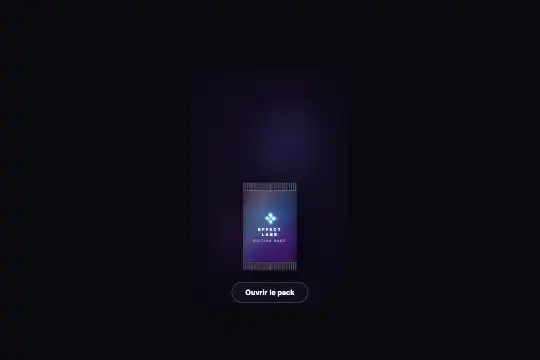

A sealed holographic pack of 104 to 138 px, a spark racing along the tear line in 450 ms, the strip fluttering away and fading, then one to three cards cascading out (130 ms apart) and entering inspection: ×1.5 zoom, 3D flip on click, arrow keys and Escape. A 1.56 s sequence run by a data-state / data-view state machine — 23 KB of CSS, 17 @keyframes, 8 KB of JS, zero dependencies. The sold HTML contains a single card.
Updated
This effect is part of Effect.Labs — 840 vanilla effects, some free, some premium. Cards has 43 effects, including 6 free. Explore the category →
3 usage examples


How it works
Anatomy: .hpo-scene (min-height: 470px, flex column, overflow: hidden, radial background) sets five variables — --hpo-pack-w: clamp(104px, 15vw, 138px), pack height × 1.62, card width × 0.84, card height × 1.4, --hpo-split = 13% of the pack height (the tear line). .hpo-stage (2.9 pack widths) holds the cards (absolute, invisible, centered in the lower part of the pack) and .hpo-pack: two .hpo-half windows (top 13%, bottom 87%) each showing the same full .hpo-packface — gradient base, rainbow foil in screen at .26, 1 px texture, a hpo-pack-sheen sweep every 5.5 s, art (💠 emoji, brand, edition), two 15 px crimps. At rest the two halves are flush: no seam. The tear profile — a 25-point polygon “from a smoothed random walk” — is applied to both halves only during data-state="busy" or once .hpo-gone.
Opening (openPack, state idle → busy): the CSS handles the first 450 ms through the busy selector — .hpo-cutter (an 8 px spark with a 30 px trail) runs from left: -4% to 102% (hpo-cut .45 s), .hpo-tearline goes from scaleX(0) to 1 then fades at .78 s, both halves pinch by ±1 px; at .45 s, hpo-split-top (.95 s) rips the strip up-left (−36 px, −58 px, rotation oscillating from −4.5° to +9° then 1.5°) and fades it; .hpo-bloom (the escaping light) lasts .85 s from .44 s; nine i sparks and three b streaks, created by the JS with random --tx / --ty / --d / --s, fire between .46 and .61 s. The JS adds the flash at 470 ms (.hpo-firing, .38 s), lets the cards out at 780 ms (hpo-out, one every 130 ms, positions s0 / s1 / s2 = raised 74 to 78% of the pack height with ±2.2° rotation), switches to revealed at 1300 ms (button label → data-again, live-region message → data-announce) and enters inspection at 1560 ms.
Inspection: data-view="inspect" dims the scene (.hpo-dim rgba(6,5,14,.68), .4 s); the active card rises 58% of the pack height and goes to scale(1.5), the others move behind at ±0.92 card width, scale(.8), ±6°, brightness(.45). The Ultra card (no --common or --rare class) gets .hpo-card--glowing: a 4.5 s rainbow sheen and a 2.8 s drop-shadow pulse; the star pulses over 2 s. A click on the active card toggles .hpo-flipped → .hpo-flip3d rotates 180° in .55 s (both faces in backface-visibility: hidden, the back an indigo panel with 💠 and the brand). A click on a card behind, the ‹ › buttons (shown only with .hpo-has-nav, i.e. n > 1) or the arrow keys change the active card; every change updates tabindex, data-pos and the live region.
New pack (button or Escape, state revealed → busy): the torn pack is thrown left (hpo-discard-pack .45 s: −96 px, +44 px, −11°), the cards dissolve into light (hpo-card-dissolve .62 s, brightness 2.1 → 3, active card last, 90 ms apart), then serveNew() resets the classes and slides a sealed pack in from the right (hpo-arrive-in .55 s) — 430 + (n − 1) × 90 + 660 ms, about 1.1 s for one card. Under prefers-reduced-motion, the JS skips every timer (strip removed, cards stacked, immediate inspection) and the CSS cancels all 17 animations. The sold HTML contains a single card: the cascade, the stack and the navigation exist in the code but require duplicating the .hpo-card block (rarity classes hpo-card--common / hpo-card--rare). Two catalog leftovers: @media (max-height: 360px) { .hpo-scene { transform: scale(.52) } }, written for the preview iframe, and .hpo-high-contrast, mirror of a demo toggle; hpo-tearing is removed by the JS without ever being added.
Accessibility
- An
aria-live="polite"region announces each step; the cards arerole="button"with managedtabindexandaria-hidden(hidden while in the pack, focus given to the active one in inspection); Enter and Space flip, Escape serves a new pack. But every announced sentence is hard-coded in French in the JS (“Carte 1 sur 3 : …”, “Dos de la carte.”, “Ouvrir un autre pack” by default) — thedata-againanddata-announceattributes only cover two of them. - The two ‹ › buttons are hidden with
opacity: 0; pointer-events: nonebut stay in the tab order: measured in Chromium, Tab stops on them twice before reaching the open button — two invisible focus stops, on a page with a single card. Addvisibility: hidden(ordisabled) outside.hpo-has-navand outside inspection. - Contrast measured (Chromium, pixels under the text): button
#fffonrgba(20,17,38,.9)= 18.6:1; hintrgba(228,228,231,.65)= 6.9:1; card name#4a3b18on ivory = 7.4:1; card sub-line#7d6c42on ivory#dcd2b8 → #f2ecdc= 3.4 to 4.35:1, below 4.5:1 →#4a3b18(7.2 to 9.2:1) or#5c4d2a(5.5 to 7.0:1). The pack's texts (brand 6.5 to 12:1, 6.4 px edition at 1.4–5.8:1 depending on the sheen) sit in anaria-hiddenblock: decorative, not subject to the threshold — but nobody reads 6 px. - Sizes: card name
clamp(6px, 1vw, 9px), sub-lineclamp(5px, .75vw, 7px), editionclamp(6px, .8vw, 8px)— 5 to 9 px, unreadable by design (the card is 87 to 116 px wide); only the ×1.5 inspection zoom brings the name to 9–13 px. If the card carries meaning (the reward's name), write it outside the card as well. - Reduced motion handled in the CSS (17 animations cancelled, transitions at .01 s) and in the JS (no timers: instant reveal); reduced transparency: foil and holo layers hidden, dim raised to .92. The 💠 emoji (three occurrences) depends on the system font and is
aria-hidden. Nothing blocks touch scrolling; the open button is 40 px tall (44 recommended).
Browser compatibility
Requires clip-path: polygon(), clamp(), inset, backface-visibility, animated filter: drop-shadow(), mix-blend-mode and CSS variables inside calc(). ES5 JavaScript. No library.
Without JavaScript nothing opens: sealed pack, inert button, only the pack's sheen keeps sweeping. Without clip-path, the tear is a straight line but the two halves still separate. Under prefers-reduced-motion the reveal is instant and inspection opens directly.
The code
HTML structure to paste into your page (the CSS + JS come with Premium):
<div class="hpo-scene" id="hpoScene" data-state="idle" data-again="Open another pack" data-announce="Holographic Ultra Rare card revealed. Click to flip it.">
<div class="hpo-bg-glow" aria-hidden="true"></div>
<div class="hpo-stage">
<div class="hpo-card" role="button" tabindex="-1" aria-label="Ultra Rare card — click to flip it" aria-hidden="true">
<div class="hpo-flip3d">
<div class="hpo-face hpo-face--front">
<div class="hpo-card-bg"></div>
<div class="hpo-card-holo"></div>
<div class="hpo-card-sheen"></div>
<div class="hpo-card-content">
<div class="hpo-card-icon" aria-hidden="true">★</div>
<div class="hpo-card-name">Ultra Rare</div>
<div class="hpo-card-sub">No. 001 / HOLO</div>
</div>
<div class="hpo-card-frame"></div>
</div>
<div class="hpo-face hpo-face--back">
<div class="hpo-back-inner">
<div class="hpo-back-gem" aria-hidden="true">💠</div>
<div class="hpo-back-brand">Effect Labs</div>
</div>
</div>
</div>
</div>
<div class="hpo-pack" aria-hidden="true">
<div class="hpo-half hpo-half--top">
<div class="hpo-packface">
<div class="hpo-packface-base"></div>
<div class="hpo-packface-foil"></div>
<div class="hpo-packface-texture"></div>
<div class="hpo-packface-sheen"></div>
<div class="hpo-packface-art">
<div class="hpo-packface-gem">💠</div>
<div class="hpo-packface-brand">
Effect
<br>
Labs
</div>
<div class="hpo-packface-edition">Edit Rare</div>
</div>
<div class="hpo-packface-crimp-top"></div>
<div class="hpo-packface-crimp-bot"></div>
</div>
</div>
<div class="hpo-half hpo-half--bot">
<div class="hpo-packface">
<div class="hpo-packface-base"></div>
<div class="hpo-packface-foil"></div>
<div class="hpo-packface-texture"></div>
<div class="hpo-packface-sheen"></div>
<div class="hpo-packface-art">
<div class="hpo-packface-gem">💠</div>
<div class="hpo-packface-brand">
Effect
<br>
Labs
</div>
<div class="hpo-packface-edition">Edit Rare</div>
</div>
<div class="hpo-packface-crimp-top"></div>
<div class="hpo-packface-crimp-bot"></div>
</div>
</div>
<div class="hpo-tearline" aria-hidden="true"></div>
<div class="hpo-cutter" aria-hidden="true"></div>
<div class="hpo-bloom" aria-hidden="true"></div>
<div class="hpo-burst" aria-hidden="true"></div>
</div>
</div>
<div class="hpo-dim" aria-hidden="true"></div>
<div class="hpo-flash" aria-hidden="true"></div>
<button class="hpo-nav hpo-nav--prev" type="button" aria-label="Previous card">‹</button>
<button class="hpo-nav hpo-nav--next" type="button" aria-label="Next card">›</button>
<p class="hpo-hint" aria-hidden="true">Click: flip the card · Esc: another pack</p>
<button class="hpo-trigger" type="button" aria-label="Open the holographic pack">Open the pack</button>
<div class="hpo-announce" aria-live="polite" aria-atomic="true"></div>
</div>The full HTML + CSS + JS of Holo Pack Opening, ready to paste — plus all 840 effects. Or $299 once, lifetime access.
Customize
Options passed to the API or data-* attributes:
| Option / property | Default | Effect |
|---|---|---|
--hpo-pack-w (CSS — .hpo-scene) |
clamp(104px, 15vw, 138px) | Every dimension derives from it: pack × 1.62, card × 0.84 and × 1.4, stage 2.9 widths. In vw, the size depends on the window, not the container — set a px value inside a widget. Also remove min-height: 470px. |
| Number of cards (HTML — .hpo-card blocks) | 1 | Duplicate the block; hpo-card--common / hpo-card--rare for rarities, no class = Ultra with glow. The JS adds hpo-has-nav from two cards on. Beyond three, the s2 / behind2 positions overlap. |
| Timing (JS — 470 / 780 / 1300 / 1560 ms; CSS — .45s / .95s) | 1.56 s to inspection | The JS delays are matched to the CSS durations (spark .45 s, rip .95 s from .45 s): shift them together. Remove the setTimeout(enterInspect, 1560) to leave the cards stacked. |
| Cascade (JS — stackCards(130)) | 130 ms | Gap between two cards coming out. 0 = simultaneous; 250 = one at a time. |
| Inspection zoom (CSS — [data-view="inspect"] [data-pos="active"]) | scale(1.5), raised 58% | Enlargement of the active card. 1.8 to read text; adjust the rise to stay inside the scene, which is overflow: hidden. |
| Texts (HTML — data-again / data-announce; JS — say()) | French | Button label after opening and announcement message in the HTML; the other sentences (“Carte x sur n”, “Dos de la carte”) are in the JS — translate them there. |
| Pack material (CSS — .hpo-packface-base / -foil / -sheen) | violet, foil .26, 5.5 s sheen | Three-gradient base, rainbow in screen, hpo-pack-sheen sweep. Lower the foil opacity to .12 for a matte pack; lengthen the sheen to 8 s for a calmer rhythm. |
FAQ
@media (max-height: 360px) { .hpo-scene { transform: scale(.52); transform-origin: 50% 30% } }, a rule written for the catalog's preview iframe: it shrinks the whole scene to 52% as soon as the window is 360 px tall or less, whatever your container. Remove it and size through --hpo-pack-w; also drop min-height: 470px if the block is shorter.hpo-has-nav (which shows ‹ › and enables the arrows) from two on, and the s0 / s1 / s2 stack is designed for three. Duplicate the .hpo-card block, give each its rarity (hpo-card--common, hpo-card--rare, or nothing for the glowing Ultra) and put first the one that should be active on opening. The behind1 / behind2 positions only hold two cards behind the active one.newPack() throws the old one away, dissolves the cards and serves a fresh pack (≈ 1.1 to 1.3 s); the idle / busy / revealed state machine ignores clicks during the animation and disables the button. Beware: Escape is listened to on document from the revealed state on — it will trigger a new pack even when focus is elsewhere, in a modal for instance.