Ambient Soundscape
Four synthetic sound layers (rain, wind, birds, waves) independently toggled via Web Audio API — LFO-modulated FM oscillators, zero audio files, zero network requests.
Updated

This effect is part of Effect.Labs — 840 vanilla effects, some free, some premium. Atmosphere has 58 effects, including 10 free. Explore the category →
3 usage examples
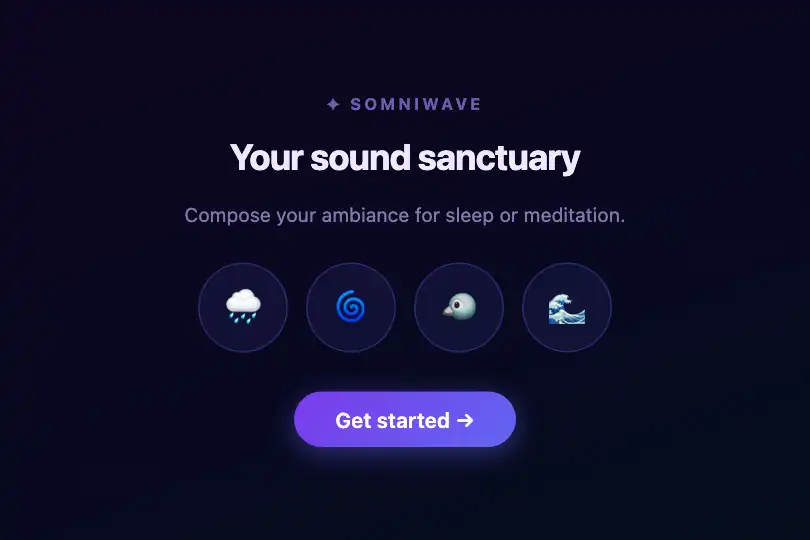


How it works
The effect is purely Web Audio API — no canvas, no requestAnimationFrame, no audio files. Four synthetic sound layers coexist inside a shared AudioContext, each built from a main OscillatorNode connected to an output GainNode. Layers toggle independently without interrupting one another; references are kept in the t object (key = sound name).
Each layer uses a waveform and frequency matched to its natural referent: rain = sawtooth at 200 Hz (rich harmonics close to dense noise); wind = sine at 120 Hz (low-frequency breath); birds = sine at 900 Hz (high-pitched chirp); waves = sine at 80 Hz (deep background rumble). Output gains range from 0.008 (birds, subtle) to 0.015 (wind, dominant) — calibrated so no clipping occurs even with all four layers active at once.
Each layer is animated by FM modulation via an LFO: a second OscillatorNode (sine, random frequency 0.5–2.5 Hz) is connected to the first oscillator's frequency parameter. Its gain equals 0.1 × main frequency — ±20 Hz for rain, ±9 Hz for waves — adding a natural tremolo that prevents the mechanical feel of a fixed pure tone. The LFO restarts at a slightly different frequency on each activation, keeping the sound alive.
The AudioContext is created lazily on first click (browser autoplay policy: a context created before user interaction would stay in suspended state). On deactivation, osc.stop() is called inside a try/catch and references are deleted from t — nodes are garbage-collected. Re-clicking creates fresh nodes from the same parameters.
Accessibility
- prefers-reduced-motion: absent from the code. Buttons have a
transition: .3sscale on hover, but the effect has no looping visual animation — the omission has no practical impact on motion-sensitive users. - Controls are
<div>elements with norole="button"ortabindex— not keyboard-focusable, invisible to assistive technologies that rely on keyboard navigation. Fix before shipping an accessible integration. - No
aria-pressedon the toggle buttons — the active state (indigo background, box-shadow) is purely visual, not communicated to screen readers. - Emojis (🌧 🌀 🐦 🌊) are described as text by most screen readers (e.g. 'cloud with rain') — understandable but imprecise for audio controls; an explicit
aria-labelper button is recommended. - Contrast in
.activestate:#6366f1border and indigo box-shadow on#0a0a0fbackground — emoji content remains legible (dark background, WCAG AA compliant visually).
Browser compatibility
Requires AudioContext (or webkitAudioContext) and OscillatorNode — available in all modern browsers. Zero external dependencies, zero audio files.
If both AudioContext and webkitAudioContext are absent, getSndCtx() throws an exception caught implicitly — buttons toggle visually (the .active class applies) without producing sound. No fatal console errors.
The code
HTML structure to paste into your page (the CSS + JS come with Premium):
<div class="demo-preview">
  <div class="snd-ambient" id="sndAmbient">
    <div class="snd-ambient-btn" data-sound="rain">🌧</div>
    <div class="snd-ambient-btn" data-sound="wind">🌀</div>
    <div class="snd-ambient-btn" data-sound="birds">🐦</div>
    <div class="snd-ambient-btn" data-sound="waves">🌊</div>
  </div>
</div>The full HTML + CSS + JS of Ambient Soundscape, ready to paste — plus all 840 effects. Or $299 once, lifetime access.
Customize
Options passed to the API or data-* attributes:
| Option / property | Default | Effect |
|---|---|---|
| n.rain.freq (JS) | 200 | Rain oscillator frequency in Hz (sawtooth). Raise to 350 for a dense rain curtain, lower to 100 for distant rain. |
| n.rain.type (JS) | "sawtooth" | Waveform: "sawtooth" gives rich harmonics close to noise, "sine" a pure tone, "square" a more aggressive timbre. |
| n.birds.freq (JS) | 900 | Chirp pitch in Hz. 1,200 for tropical forest birds, 600 for doves. |
| vol per layer (JS) | 0.008 – 0.015 | Output gain per oscillator. Keep under 0.03 to avoid clipping; 4 simultaneous layers accumulate. |
| LFO gain (JS) = 0.1 × freq | computed | FM modulation depth. Multiply by 2 for a pronounced tremolo, by 0 for a fixed pure tone with no variation. |
| LFO freq (JS) = 0.5 + 2 × Math.random() | 0.5 – 2.5 Hz | LFO oscillation speed. Replace with a constant (e.g. 1.0) for a regular, reproducible tremolo. |
| .snd-ambient-btn width/height (CSS) | 60px | Round button size. 48 px for a compact sidebar, 80 px for a dedicated full-screen UI. |
| rgba(99, 102, 241, …) (CSS) | indigo | Interface accent color: border, background, and box-shadow for :hover and .active states. Replace the RGB values with your brand color. |
FAQ
<audio loop> files gives a more realistic result if needed.t object (key = sound name, value = { osc, lfo, gain }). All active layers mix inside the AudioContext; the calibrated gains (0.008–0.015) ensure no clipping even with all 4 layers active at once.AudioContext before an explicit user interaction (Chrome, Firefox, and Safari autoplay policy). The AudioContext is therefore created lazily on first click via getSndCtx(); all subsequent activations reuse the already-unlocked context.


