Generative Flow Field
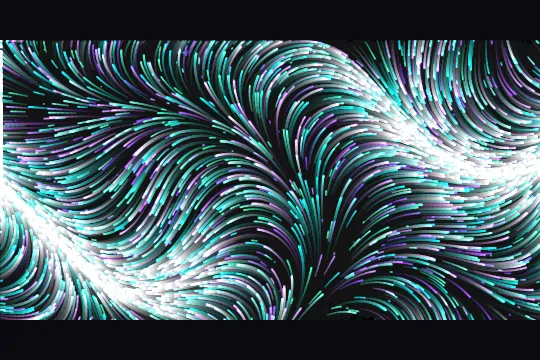



Perlin 2D vector field driving 5000 luminous particles in additive blending — persistent trails, real-time current drift, nebula or aurora at 60fps.
Updated
This effect is part of Effect.Labs — 840 vanilla effects, some free, some premium. Atmosphere has 58 effects, including 10 free. Explore the category →
3 usage examples
How it works
A classic Perlin permutation table (256 randomly shuffled integers, duplicated to 512 entries) powers perlin2(x, y). The function computes a quintic interpolation 6t⁵ − 15t⁴ + 10t³ (fade), a bilinear blend (lerp), and projects onto a 2D gradient from 4 orientations (±x ± y). Output is in [−1, 1]; multiplied by 2π it gives a flow angle at every point in the plane.
Each frame, a particle's heading is perlin2(x × 0.0028, y × 0.0028 + timeOffset) × 2π. The scale factor 0.0028 controls field zoom (wide swirls), and timeOffset grows by 0.0008 × speed per frame — the whole field drifts slowly over time without ever repeating. The particle moves cos(angle) × speed × 1.3 in x and sin(angle) × speed × 1.3 in y; edges are toroidal (wrap-around). Each particle carries an age and a life (100–300 frames): on death it respawns at a random position with a new color, keeping density uniform across the canvas.
Before painting particles, each frame overlays a rgba(10, 10, 20, trailAlpha) wash (trailAlpha = 0.05 by default, roughly 20 frames of visible trace). Particles are then drawn with globalCompositeOperation: 'lighter' (additive blending): where multiple flow lines converge, RGB channels add up toward white, producing the luminous filaments characteristic of auroras or nebulae. Pixel size varies from 1.6 to 2.4 px via lifeRatio (1 − |age/life − 0.5| × 2), giving a natural fade-in and fade-out.
An IntersectionObserver (threshold 0.01) suspends the requestAnimationFrame loop whenever the canvas leaves the viewport — zero wasted CPU off-screen. The canvas is resized accounting for devicePixelRatio (capped at 2) via syncSize(); a resize listener resets the transform matrix (ctx.setTransform(1,0,0,1,0,0)) then calls syncSize() again to recalibrate cleanly.
Accessibility
- prefers-reduced-motion: present in the code — the script detects
prefers-reduced-motion: reduceand returns immediately. The canvas stays blank, norequestAnimationFrameis launched. There is no built-in static fallback: add a CSS gradient background on the wrapper as a visual substitute. - The
<canvas>does not carryaria-hidden="true"in the delivered HTML — add it so screen readers skip the canvas (it contains no meaningful text content). - No
role="img"oraria-labelon the wrapper — add both to.ps-canvas-wrapto describe the scene to assistive technologies. - No interactive elements in the effect: the canvas is purely visual; keyboard navigation is unaffected by the animation.
- Overlay text contrast is the integrator's responsibility — the canvas provides no built-in scrim; add a
rgba(0,0,0,0.45)layer under any text placed on top of the effect.
Browser compatibility
Requires Canvas 2D Context and requestAnimationFrame — supported in all modern browsers. Uses ES6 destructuring ([a, b] = [b, a]) for permutation shuffling.
If canvas is not supported or getContext('2d') returns null, the script exits silently (guard if (!ctx) return). The .ps-canvas-wrap container renders with its CSS background — no fatal error, the page stays functional.
The code
HTML structure to paste into your page (the CSS + JS come with Premium):
<div class="demo-preview">
  <div class="ps-canvas-wrap" role="img" aria-label="Animated flow field — luminous particles following Perlin noise currents">
    <canvas class="ps-canvas" id="psFlowField" aria-hidden="true"></canvas>
  </div>
</div>The full HTML + CSS + JS of Generative Flow Field, ready to paste — plus all 840 effects. Or $299 once, lifetime access.
Customize
Options passed to the API or data-* attributes:
| Option / property | Default | Effect |
|---|---|---|
| settings.palette | 'aurora' | Active color palette: 'aurora' (green/cyan/purple), 'ocean' (blues/cyans), 'fire' (oranges/reds/yellows), 'mono' (semi-transparent whites). Edit in the settings object at the top of the script. |
| settings.count | 5000 | Total particles spawned. 2000–3000 for mobile or small components; 8000 for a full-page background. Affects the spawnParticles(settings.count) call. |
| settings.speed | 1.0 | Global multiplier: drives both particle displacement (× 1.3) and field temporal drift (timeOffset += 0.0008 × speed). 0.5 = slow, contemplative currents; 1.5 = energetic swirls. |
| settings.trailAlpha | 0.05 | Opacity of the fade wash applied to the canvas each frame. 0.02 → very long trails (nebula look), 0.12 → short trails (crisp particles). Lower values let filaments accumulate longer. |
| PALETTES (JS object) | 5 colors per palette | Arrays of hex colors for each palette, defined at the top of the script. Replace hex values in an existing palette or add a 'brand' key with custom colors, then set settings.palette = 'brand'. |
| scale constant (0.0028) | 0.0028 | Perlin zoom in the call perlin2(p.x × scale, p.y × scale + timeOffset). 0.0014 → swirls twice as large; 0.005 → fine-grained, chaotic field. |
| timeOffset step (0.0008) | 0.0008 | Field temporal drift speed in timeOffset += 0.0008 × settings.speed. 0.0003 → nearly static field (very slow morphing); 0.002 → field transforms rapidly. |
FAQ
fillRect) is the lightest draw call possible. On mid-range Android, dropping settings.count to 2000–3000 is enough. The IntersectionObserver kills the requestAnimationFrame loop whenever the section is off-screen, eliminating CPU cost when the effect isn't visible.getBoundingClientRect(). Give the .ps-canvas-wrap explicit CSS dimensions (e.g. width: 600px; height: 400px) and the field adapts automatically — particles stay within those bounds via edge wrap-around. For smaller containers, scale settings.count proportionally (around 3000 for 600×300 px).prefers-reduced-motion: reduce is detected, the script exits immediately without drawing anything; the canvas stays transparent and the container's CSS background shows through. There is no built-in static render. Recommended workaround: add a CSS rule @media (prefers-reduced-motion: reduce) { .ps-canvas-wrap { background: linear-gradient(135deg, #22ffaa22, #7c3aff22); } } as a visual substitute.


