Typing Sound Input


Text input with a synthetic mechanical click on each keystroke: square oscillator 300–500 Hz via Web Audio API, CSS progress bar — zero dependency, zero canvas.
Updated
This effect is part of Effect.Labs — 840 vanilla effects, some free, some premium. Atmosphere has 58 effects, including 10 free. Explore the category →
3 usage examples

How it works
On each keydown event, a square OscillatorNode is instantiated through the Web Audio API. The frequency is drawn randomly between 300 and 500 Hz (300 + Math.random() * 200) to vary the timbre slightly between consecutive keystrokes, mimicking the variability of a real keyboard. The total sound duration is 50 ms.
The volume follows an exponential envelope: the GainNode starts at 0.02, then exponentialRampToValueAtTime(0.001, ctx.currentTime + 0.05) brings it near-silence in 50 ms. This profile — instant attack, fast decay — produces the percussive click of a mechanical key without lingering resonance. The oscillator is stopped and released automatically at t+50 ms (stop()), with no memory leak.
The AudioContext is created as a lazy singleton (getSndCtx()) with a webkitAudioContext fallback for Safari ≤ 14. It stays suspended until the first keydown — compliant with the user gesture requirement enforced by Chrome 71+ and Safari 12.1+.
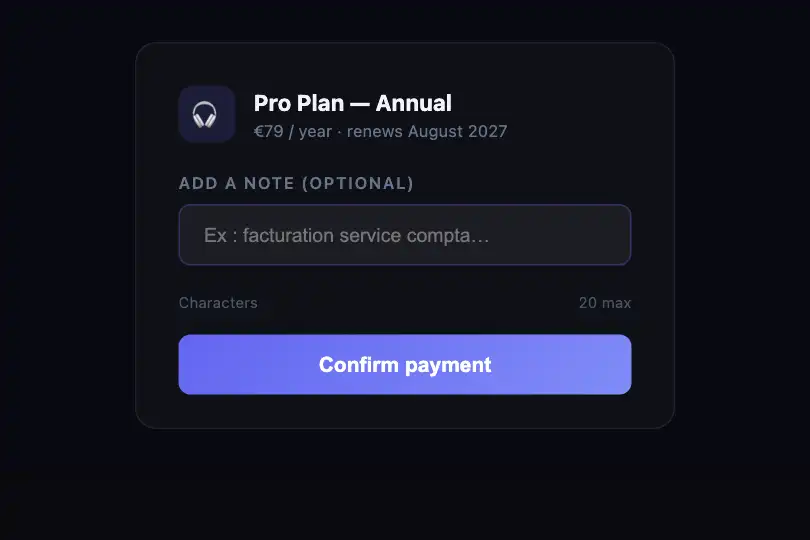
The progress bar (.snd-typing-bar) is a <div> whose width is recalculated in pure CSS on each keystroke: Math.min(100, (input.value.length + 1) × 5) + '%'. It reaches 100% at 20 characters. The CSS property transition: width .1s smooths the animation without RAF or extra JS.
Accessibility
- prefers-reduced-motion: absent from the code. The CSS bar (
transition: width .1s) is not suppressed when the OS enables reduced motion — add@media (prefers-reduced-motion: reduce) { .snd-typing-bar { transition: none } }to comply with WCAG 2.3.3. - Sound is not triggered automatically: the AudioContext only starts after the first keypress. No unexpected noise on page load — compliant with WCAG 1.4.2 (audio control).
- The
<input>is natively keyboard-focusable via Tab. However, no<label>is associated with it in the provided code — only theplaceholderacts as a label, which is a screen-reader gap (WCAG 1.3.1). Add a<label for="sndTypingInput">oraria-labelin integration. - The
.snd-typing-indicatorbar carries norole="progressbar",aria-valuenow, oraria-valuemax— progress is not communicated to screen readers. Add these attributes if the metric carries semantic value for the user. - Text contrast: the input on
#0a0a0fbackground with#fffcolor reaches ≥ 15:1 (WCAG AA and AAA). The placeholder at ~70% white opacity sits around 10:1 — still AA-compliant.
Browser compatibility
Requires Web Audio API — available in all modern browsers since 2014. Zero external dependency, zero canvas.
If both AudioContext and webkitAudioContext are absent (IE 11, Opera Mini), playTone throws silently (the oscillator creation block is never reached). The text input and progress bar remain fully functional — only the sound is missing.
The code
HTML structure to paste into your page (the CSS + JS come with Premium):
<div class="snd-typing-container">
  <input
    type="text"
    class="snd-typing-input"
    id="sndTypingInput"
    placeholder="Tapez quelque chose..."
  >
  <div class="snd-typing-indicator">
    <div class="snd-typing-bar" id="sndTypingBar"></div>
  </div>
</div>The full HTML + CSS + JS of Typing Sound Input, ready to paste — plus all 840 effects. Or $299 once, lifetime access.
Customize
Options passed to the API or data-* attributes:
| Option / property | Default | Effect |
|---|---|---|
| Frequency range | 300–500 Hz | In the keydown listener, edit 300 + Math.random() * 200. Example: 200 + Math.random() * 100 gives a deeper sound (vintage typewriter); 500 + Math.random() * 300 gives a higher pitch (chiclet keyboard). |
| Oscillator wave type | 'square' | 3rd argument of playTone(freq, 0.05, 'square', 0.02). 'sine' = soft and round, 'triangle' = neutral, 'sawtooth' = more electronic and bright. 'square' is closest to a mechanical relay timbre. |
| Sound duration | 0.05 s (50 ms) | 2nd argument of playTone. 0.05 = dry key click, 0.12 = light piano note, 0.20 = perceptible organ timbre. Drop below 0.03 for a nearly imperceptible tick. |
| Volume (initial gain) | 0.02 | 4th argument of playTone. 0.02 = subtle (ambient), 0.05 = present, 0.10 = loud. Stay under 0.08 to avoid startling users with headphones. |
| Bar color | #6366f1 | CSS background property of .snd-typing-bar. Replace with your brand primary. Gradients are supported: linear-gradient(90deg, #6366f1, #ec4899). |
| Bar fill rate | × 5 (100% at 20 chars) | In Math.min(100, (input.value.length + 1) * 5), adjust the multiplier: * 3 → 100% at 33 chars (long email), * 10 → 100% at 10 chars (PIN code). |
| CSS transition speed | 0.1 s | The transition: width .1s property on .snd-typing-bar. Use .3s ease-out for smoother fill, or none for instant display (and prefers-reduced-motion compliance). |
FAQ
AudioContext until an explicit user gesture (click or keypress). The first keydown creates and resumes the context — the sound is absent only on that single keystroke. This is browser policy, not a bug. To work around it, call getSndCtx().resume() in a click handler on the page (e.g. a 'Enable sound' button) before the user starts typing.document.getElementById('sndTypingInput') at execution time — the DOM must be mounted. In React, wrap the initialization in useEffect(() => { /* run script */ }, []) or use a ref directly. In Vue, call it in the mounted() hook. For multiple instances, generate unique IDs per component (e.g. sndTypingInput-${uuid}) and add the event listener manually.AudioBufferSourceNode loaded via AudioContext.decodeAudioData(). Load the WAV/MP3 once at mount, store the AudioBuffer, and on each keystroke create a new AudioBufferSourceNode, connect it to the GainNode, and call start(). The listener structure stays identical — only the audio source changes.


