Interactive Axes
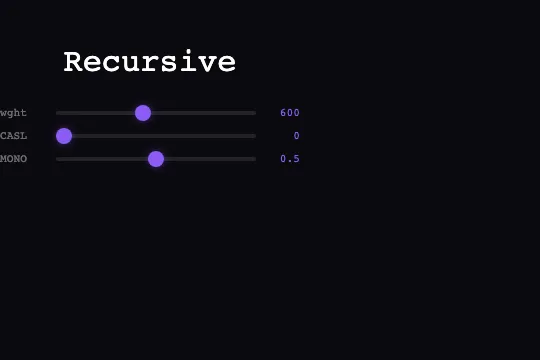
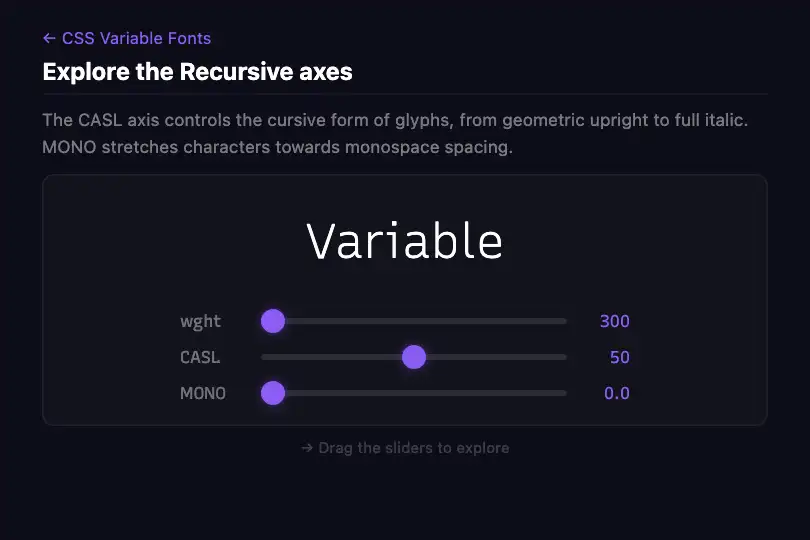

Three native sliders drive Recursive's wght (300–1000), CASL and MONO axes in real time — from geometric roman to bold monospace via font-variation-settings.
Updated
This effect is part of Effect.Labs — 840 vanilla effects, some free, some premium. Text has 56 effects, including 4 free. Explore the category →
3 usage examples
How it works
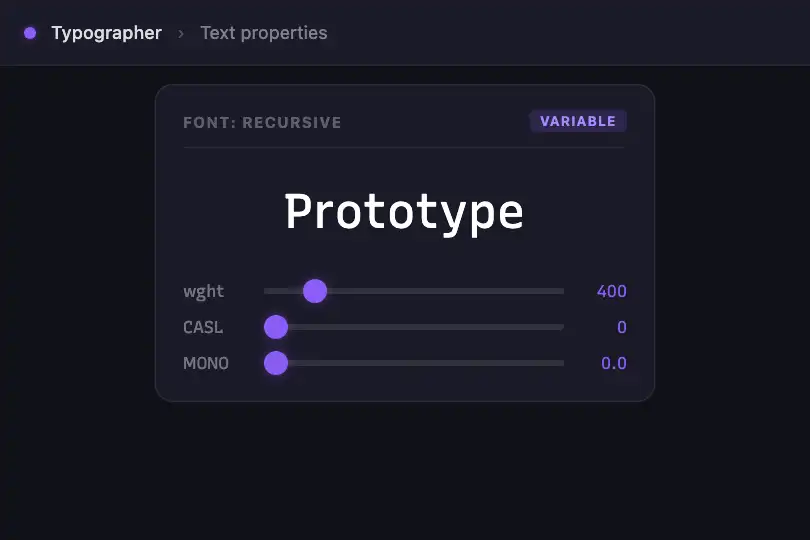
The effect relies on the CSS font-variation-settings property applied inline to #vfAxesPreview. Recursive exposes three distinct axes: wght (weight from 300 to 1000), CASL (0 to 1 — from geometric upright to full cursive italic) and MONO (0 to 1 — proportional to strict monospace). The transition: font-variation-settings .3s rule on .vf-axes-preview visually interpolates each change — no autonomous animation runs: every movement is user-triggered.
Each slider is a native HTML <input type="range">. The wght axis maps its integers 300–1000 directly. The CASL and MONO axes use a 0–100 range on the HTML side (better scrubbing resolution) and are divided by 100 in the update() function before being inserted into the font-variation-settings string. The .vf-axes-val spans display CASL as a raw integer (0–100) and MONO as a normalised value (0.0–1.0) via .toFixed(1).
The JS logic is a dependency-free IIFE: four getElementById calls target the preview and the three sliders; three input listeners call update(), which rebuilds the font-variation-settings string and syncs the spans. An initial call to update() at startup reflects the HTML default values (wght 600, CASL 0, MONO 0.5) without waiting for interaction. The axis labels themselves use font-variation-settings: "MONO" 1 — each axis name renders at a fixed monospace width.
Accessibility
- No prefers-reduced-motion check is present in the code — but the effect has no autonomous animation (no RAF, no looping CSS): the
font-variation-settings .3stransition fires only on user action, posing no vestibular risk. - The
<input type="range">elements are native keyboard-focusable controls — arrow keys ←/→ change the value without additional JS;min,maxandstepare exposed to the browser's accessibility API. - The
.vf-axes-labelspans (wght, CASL, MONO) are not associated with their inputs via a<label for="…">— screen readers announce the sliders without an accessible name. Recommended fix: addaria-label="wght"(or equivalent) to each<input>. - The contrast of
.vf-axes-labeltext (rgba(255,255,255,0.4)on#0a0a0f) is approximately 2.3:1 — below the WCAG AA threshold (4.5:1 for body text). The numeric values in#8b5cf6reach ~4.5:1 on the same background. - No
aria-labelorroleon the preview area — the typographic content is not conveyed by screen readers, which is acceptable for a purely visual demo component.
Browser compatibility
Requires font-variation-settings (CSS Fonts Level 4) and the Recursive font loaded from Google Fonts. Zero external JS dependencies.
If Recursive fails to load (no network, Google Fonts blocked), the browser falls back to the system monospace font — font-variation-settings is silently ignored and the sliders remain functional but produce no visible effect.
The code
HTML structure to paste into your page (the CSS + JS come with Premium):
<div class="vf-preview">
  <div class="vf-axes-scene">
    <div class="vf-axes-preview" id="vfAxesPreview">Recursive</div>
    <div class="vf-axes-controls">
      <div class="vf-axes-control">
        <span class="vf-axes-label">wght</span>
        <input type="range" class="vf-axes-slider" id="vfWght" min="300" max="1000" value="600">
        <span class="vf-axes-val" id="vfWghtVal">600</span>
      </div>
      <div class="vf-axes-control">
        <span class="vf-axes-label">CASL</span>
        <input type="range" class="vf-axes-slider" id="vfCasl" min="0" max="100" value="0">
        <span class="vf-axes-val" id="vfCaslVal">0</span>
      </div>
      <div class="vf-axes-control">
        <span class="vf-axes-label">MONO</span>
        <input type="range" class="vf-axes-slider" id="vfMono" min="0" max="100" value="50">
        <span class="vf-axes-val" id="vfMonoVal">0.5</span>
      </div>
    </div>
  </div>
</div>The full HTML + CSS + JS of Interactive Axes, ready to paste — plus all 840 effects. Or $299 once, lifetime access.
Customize
Options passed to the API or data-* attributes:
| Option / property | Default | Effect |
|---|---|---|
| #vfAxesPreview (textContent) | "Recursive" | Text displayed in the preview — replace with a word, short phrase, or your own brand name. |
| .vf-axes-preview { font-size } | 2rem | Preview text size. Increase to 3–5rem for a hero use, reduce to 1.2rem for a compact panel. |
| value on #vfWght + inline style | 600 | Initial weight on load (range 300–1000). Also update the font-variation-settings inline style on #vfAxesPreview. |
| value on #vfCasl | 0 (→ CASL 0.0) | Initial CASL (0–100 HTML side → 0–1 in the axis). 0 = geometric upright, 100 = full cursive italic. |
| value on #vfMono | 50 (→ MONO 0.5) | Initial MONO (0–100 → 0–1). 0 = proportional spacing, 100 = strict monospace. |
| background in .vf-axes-slider::-webkit-slider-thumb | #8b5cf6 | Slider thumb color. Also update color in .vf-axes-val for visual consistency. |
| transition on .vf-axes-preview | font-variation-settings .3s | CSS interpolation duration. 0s for instant feedback, 0.8s for a more cinematic feel. |
| font-family in .vf-axes-preview | Recursive, monospace | Replace with any other variable font (e.g. Inter Variable, Source Serif 4) — update min/max and axis names accordingly. |
FAQ
font-family: Recursive, monospace but does not include a <link> or @import. Add <link rel="stylesheet" href="https://fonts.googleapis.com/css2?family=Recursive:wght@300..1000&display=swap"> to your <head>. Without this tag, the browser will fall back to the system monospace font and the sliders will have no visible effect.font-family: Recursive, monospace with your font in .vf-axes-preview, update the min, max and value of each slider to match its actual axis ranges, and change the axis names in the font-variation-settings string — for example 'opsz', 'slnt' or 'wdth' depending on the chosen font.vfAxesPreview, vfWght, etc.). For multiple instances, duplicate the HTML with unique IDs and refactor the logic into a factory: function makeAxes(previewId, wghtId, caslId, monoId) { … } — the four getElementById calls and the three listeners become local to each invocation.