Scramble Text
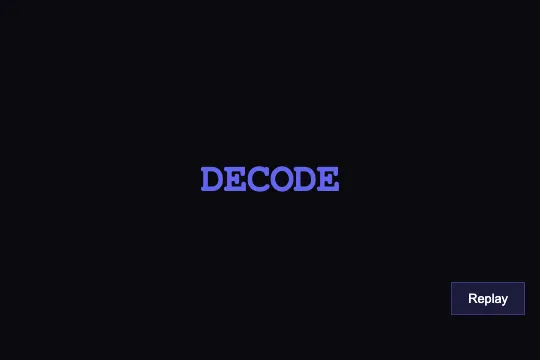

The text cycles through random symbols, then locks in letter by letter, left to right, like a decoder — on page load, and again every time “Replay” is clicked.
Updated
This effect is part of Effect.Labs — 840 vanilla effects, some free, some premium. Text has 56 effects, including 4 free. Explore the category →
3 usage examples

How it works
scrambleText(element, finalText, duration) splits the animation into 20 steps spread over the requested duration (1,500 ms in the demo, i.e. one step every 75 ms). Each step rebuilds the whole text: positions already “decoded” show their real letter, the rest draw a random symbol from a set of 44 (A–Z, 0–9, !@#$%^&*). The result is assigned in one go via textContent — no letter-by-letter DOM work, no injected HTML.
The decoded share is Math.floor(step / 20 × length): the reveal moves strictly left to right, roughly one letter every three steps for a six-letter word. On step 20 the interval stops and the final text is set.
The effect runs once on load (last line of the script). The Replay button calls replayScramble(), the only function exposed on window — everything else lives in an IIFE and leaves your page untouched. Every run starts with clearInterval: clicking mid-animation restarts it cleanly instead of stacking two decoders.
The element uses "Courier New", monospace: every symbol has the same width, so the word never jumps while scrambling. The indigo #6366f1 reinforces the terminal feel.
Accessibility
- prefers-reduced-motion: not handled — the animation plays even when the OS asks for reduced motion. Add at the top of
scrambleText:if (matchMedia('(prefers-reduced-motion: reduce)').matches) { element.textContent = finalText; return; }. - The trigger is a real
<button>: “Replay” works with the keyboard (Enter, Space) as well as mouse and touch. - The text changes 20 times in 1.5 s. Don't put the element inside an
aria-liveregion, or every step would be read out; for an important heading, add anaria-labelwith the final text. - The final state is always the exact text: no random symbol can be left on screen.
- The monospace font keeps the line width stable while scrambling: no shift in neighbouring content.
Browser compatibility
Requires setInterval, textContent and ES2015 syntax (arrow functions, const/let, default parameters) — every current browser. Zero external dependencies.
Without JS, the word stays readable, in indigo monospace — consistent render, no error.
The code
HTML structure to paste into your page (the CSS + JS come with Premium):
<div class="demo-preview">
  <span class="demo-text splitting-text-scramble" id="scrambleText">YOUR TEXT</span>
  <!-- Optional: Replay button -->
  <button class="replay-btn" onclick="replayScramble()">Replay</button>
</div>The full HTML + CSS + JS of Scramble Text, ready to paste — plus all 840 effects. Or $299 once, lifetime access.
Customize
Options passed to the API or data-* attributes:
| Option / property | Default | Effect |
|---|---|---|
| scrambleChars (JS, line 3) | 'ABCDEFGHIJKLMNOPQRSTUVWXYZ0123456789!@#$%^&*' | The 44 scramble symbols. Narrow to 'ABCDEF0123456789' for a hex look, or '01' for a binary effect. |
| iterations (JS, line 7) | 20 | Number of decode steps. 10 = choppier scramble; 40 = smoother (total duration stays the same). |
| duration (JS, 3rd argument, lines 31 and 35) | 1500 | Total duration in ms. 800 = snappy decoder; 3000 = slow, dramatic deciphering. |
| text (JS, 2nd argument, lines 31 and 35) | 'DECODE' | The revealed word. Put the same text inside the <span> so it reads correctly without JS. |
| color (.splitting-text-scramble) | #6366f1 | Colour of the scrambled and final text. Swap in your brand colour. |
| font-family (.splitting-text-scramble) | "Courier New", monospace | A monospace font is required to avoid width jumps: 'JetBrains Mono', 'Fira Code'… |
FAQ
'DECODE' on lines 31 and 35 (load and Replay button), and put the same text inside the <span id="scrambleText"> so it stays readable if the JS doesn't load.var el = document.getElementById('scrambleText'); el.addEventListener('mouseenter', function () { scrambleText(el, 'DECODE', 1500); });. The Replay button keeps working.splitScrambleInterval): starting a second element stops the first. For simultaneous animations, give each element its own timer — replace splitScrambleInterval with element._scramble on lines 11, 13 and 23.