Wonky Headlines
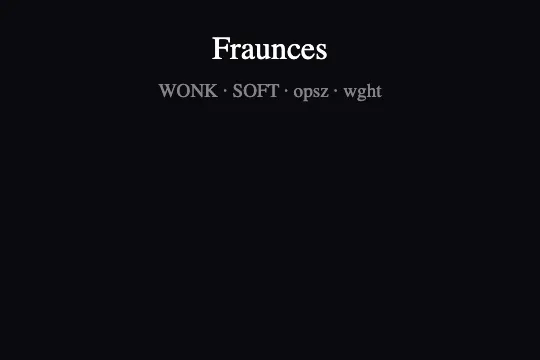

Fraunces variable font animated in pure CSS — the 4 axes WONK, SOFT, opsz, and wght transition smoothly between expressive display and readable text.
Updated
This effect is part of Effect.Labs — 840 vanilla effects, some free, some premium. Text has 56 effects, including 4 free. Explore the category →


3 usage examples
How it works
The effect relies on the Fraunces variable font and its experimental WONK axis (0 = classic stroke, 1 = exaggerated curves evoking fresh ink) paired with SOFT (counter aperture, 0–100). These two custom axes, unique to Fraunces, give the typeface a personality tunable entirely in CSS.
The @keyframes vfWonky animation simultaneously oscillates all 4 font-variation-settings values: from "WONK" 1, "SOFT" 100, "opsz" 144, "wght" 900 (heavy display, large optical size) to "WONK" 0, "SOFT" 0, "opsz" 9, "wght" 300 (light text, small optical size) and back. The ease-in-out curve over 4 s creates a continuous typographic breath rather than a hard jump between two states.
Two CSS modifiers split responsibilities: .vf-wonky-text--anim receives the infinite animation; .vf-wonky-text--alt locks the text state (WONK 0, SOFT 0, opsz 9, wght 300) for a contrasting static subtitle. There is no JavaScript in this effect — compatible with any static site generator or SSR framework without client-side hydration.
Accessibility
- prefers-reduced-motion absent: the code contains no
prefers-reduced-motionmedia query. The animation loops even if the OS signals a reduced-motion preference. Add this to your stylesheet:@media (prefers-reduced-motion: reduce) { .vf-wonky-text--anim { animation: none; } }. - Text is native HTML (
<span>) — screen readers read it normally, no extra ARIA attributes needed. - Contrast: white
#ffftext on a dark#0a0a0fbackground — WCAG AA ratio far exceeded (>18:1). - No keyboard or mouse interaction (pure CSS) — no event handlers, no focus trap.
- Font fallback: if Fraunces fails to load, the browser's
seriffallback preserves readability;font-variation-settingsis silently ignored.
Browser compatibility
Requires font-variation-settings (CSS Fonts Level 4) and a variable font. Fraunces is served by Google Fonts.
Without font-variation-settings support, Fraunces renders in its default static instance (Regular 400) — text stays readable, the animation is ignored without a JS error.
The code
HTML structure to paste into your page (the CSS + JS come with Premium):
<div class="vf-wonky-scene">
  <!-- Animated heading: loops between display and text state -->
  <span class="vf-wonky-text vf-wonky-text--anim">Your heading</span>

  <!-- Optional subtitle locked in text state (wght 300, WONK 0) -->
  <span class="vf-wonky-text vf-wonky-text--alt">Subtitle or axis label</span>
</div>The full HTML + CSS + JS of Wonky Headlines, ready to paste — plus all 840 effects. Or $299 once, lifetime access.
Customize
Options passed to the API or data-* attributes:
| Option / property | Default | Effect |
|---|---|---|
| animation-duration (.vf-wonky-text--anim) | 4s | Duration of one WONK→text→WONK cycle. Slow to 6–8 s for a contemplative feel, speed up to 2 s for a dynamic presentation. |
| animation-timing-function (.vf-wonky-text--anim) | ease-in-out | Easing curve. linear gives a mechanical oscillation; cubic-bezier(0.4,0,0.2,1) accentuates the holds at both extremes. |
| font-size (.vf-wonky-text) | 2rem | Text size. The opsz axis oscillates between 9 and 144 — the larger the font-size, the more visible the difference between the two states. |
| color (.vf-wonky-text) | #fff | Text color. Apply your brand color or a CSS gradient (background-clip: text) for a richer look. |
| "WONK" (keyframe 0% and 100%) | 1 | Max Wonk axis value. 0 = standard stroke, 1 = exaggerated curves. Reduce to 0.5 for increased subtlety. |
| "SOFT" (keyframe 0% and 100%) | 100 | Counter aperture at display state. 0 = closed counters, 100 = open counters (airier appearance). |
| "wght" (keyframe 0% and 100%) | 900 | Weight at display state. Reduce to 700 for less dramatic weight contrast. |
| "opsz" (keyframe 50%) | 9 | Minimum optical size (text state). Increase to 30–40 for a less condensed, more subtitle-readable text state. |
FAQ
@keyframes vfWonky rule and two modifier classes. There is no JavaScript — compatible with any static site generator or SSR framework without client-side hydration.wght and opsz. The WONK and SOFT axes are Fraunces-specific — if your font does not expose them, remove them from font-variation-settings in the keyframe and adjust the wght and opsz ranges to your font's declared min/max values.animation-iteration-count: 1 and animation-fill-mode: forwards on .vf-wonky-text--anim, then toggle animation-play-state: paused / running via an IntersectionObserver. The effect plays once when the element enters the viewport, then freezes in the text state (wght 300, WONK 0).