TransitionsFree

Fade Through

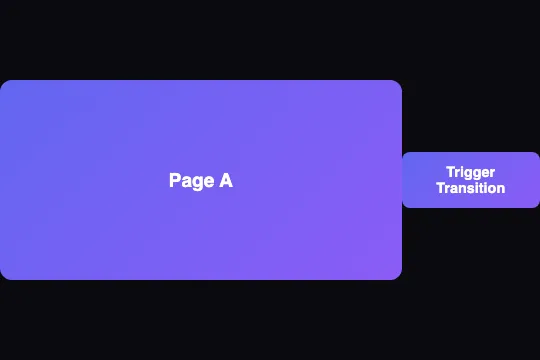
A black veil rises until it covers the screen, the page changes underneath, then the veil lifts on the new one: 1.2 s including 0.24 s of full black, and never a frame where the old and new pages blend — CSS, one layer, 1.5 KB of JavaScript, page B stays on screen until the next click.

CSSOpacitySmooth

Updated

Page A
Page B
Hover or click the scene to interact

This effect is free — the Transitions category contains 52 effects total, including 9 free. Effect.Labs has 840 vanilla effects. Explore the category →

Usage examples

ER · Triage deskTriage box 1 · 2:36 pm

Triaged · 2:36 pm

Mr. Lucien Arnaud

67 y/o · walked in, accompanied

Chest pain for 40 min, spreading to the left arm.

BP
152/94
HR
104
SpO₂
95%
Temp
37.1

Level 2 · very urgent→ resus bay, box 3

Kiosk check-in · 2:32 pm

Ms. Inès Fabre

34 y/o · filled in at the kiosk

Fell off her bike, left ankle swollen — pain 6/10 (self-reported).

BP
—
HR
—
SpO₂
—
Temp
—

To be triagedvitals to take

① Next patient's file — an ER triage nurse's screen

WhenThe triage nurse confirms a patient's level and moves on: the screen leaves the triaged patient's file (complaint, vitals, level) for the next patient's, pre-filled by the check-in kiosk.
WhyThe black in between guarantees that no frame mixes two identities, even for an instant: you never read one person's name next to the other's vitals.
SettingsScreen enlarged to 366 × 248 px, white background for both files, waiting list on the left; original black veil, 1.2 s; green "Confirm triage · next patient" button under the file.

RRear camera

Obstacle 1.2 m

DFront camera

Service area0 km/h12 °C

② Rear camera to front camera — a camper van's dashboard screen

WhenThe driver finishes reversing at the service area and shifts back to drive: the screen leaves the rear view and its guide lines for the front camera.
WhyTwo video feeds faded into each other would be unreadable and misleading; the short black says "camera switch", like in a control room.
Settings424 × 240 px screen in a black dashboard bezel; red, yellow and green guide lines drawn in CSS on page A, road and mountains on page B; the physical "Switch camera" button triggers the veil.

Cue list

The Danube Bride

  • 211“…and the river falls silent.”
  • 212Interval — resuming in 2 min
  • 213Act II, sc. 1 — “Night has fallen on the harbor”
  • 214“No one will come tonight”

Stage screen — preview

INTERVAL

Performance resumes in 2 minutes

Act II · scene 1

Night has fallen on the harbor, and no lantern answers.

House lights: going downOrchestra: ready

Next: 213Act II opens on the conductor's cue

③ End of the interval to the first surtitle of Act II — an opera house's surtitle screen

WhenThe house goes dark for the restart: the surtitle operator sends the next cue, the screen goes from "Interval – resuming in 2 min" to the first surtitle of Act II.
WhyThe fade to black follows the house lights: the screen goes dark with them and comes back on the text, without drawing the eye during the stage blackout.
SettingsControl software: cue list on the left, 320 × 180 px preview of the stage screen on the right; page B on black, white 19 px serif text; a big green "GO" button.

How it works

The .ft-stage scene (a flex column, rgb(26, 26, 36) background, at least 300 px tall) holds a 200 px tall .transition-preview screen with 12 px corners and overflow: hidden, and the .trigger-btn button below it. Inside the screen, three layers overlap with position: absolute; inset: 0: page A (.old-content, violet gradient), page B (.new-content, cyan to green gradient, hidden by opacity: 0; visibility: hidden) and, on top (z-index: 10), the .fade-through-overlay veil: a solid #0a0a0f at opacity 0 that lets clicks through (pointer-events: none).

On click, the script adds the .animating class to the veil, which plays @keyframes fadeThrough over 1.2 s ease-in-out: opacity 0 → 1 at 40%, held until 60%, back to 0 at 100%. The screen is fully black from 0.48 s to 0.72 s; at 0.6 s, in the middle of that black, the script toggles the .is-b class on .transition-preview, and two rules swap the pages (A goes to opacity: 0; visibility: hidden, B to 1 and visible). At 1.2 s, .animating is removed. Since the swap happens under an opaque veil, no frame shows A and B together — that is the difference with a crossfade, where both pages overlap halfway.

The page you reach is a state, not a moment: .is-b stays set, page B holds until the next click, which replays the veil and brings A back (measured in Chromium 151, Firefox 153 and WebKit 26.5: B shown as long as nothing is touched, back to A on the second click, then B again). During the animation, the button gets aria-disabled="true" and the script ignores clicks, rather than disabled: a disabled button loses keyboard focus (measured in Chromium and Firefox, focus goes back to body), and the Enter key would no longer work to go back. The script walks through every .ft-stage of the page, with no id and no global function: several screens coexist, each with its own button. A variant in the catalog takes the screen through a solid color instead of black.

Accessibility

  • Reduced motion: under prefers-reduced-motion: reduce, the script skips the veil and toggles .is-b right away; a 150 ms CSS transition on the pages' opacity softens the swap. Measured: no veil animation, page B visible in under 250 ms.
  • Keyboard: the trigger is a real <button type="button"> (Enter and Space work, no form submission if the screen sits inside a <form>). For 1.2 s it carries aria-disabled="true" but keeps focus: you can go A → B → A from the keyboard without losing your place.
  • Screen readers: the hidden page is visibility: hidden, so it is out of the accessibility tree; only the displayed page is read. The change is not announced on its own: if B's content must be read as soon as it arrives, add aria-live="polite" on .transition-preview or move focus to B's heading within the swap delay.
  • Flashing: one pass through black per click, 0.24 s of full black between two 0.48 s ramps: nowhere near the three-flashes-per-second threshold, even when clicking non-stop (the button ignores clicks during the animation).

Browser compatibility

CSS (@keyframes on opacity, inset) + 1.5 KB of JavaScript (classList, matchMedia), no dependency. Measured in Chromium 151, Firefox 153 and WebKit 26.5: opaque veil at swap time, page B held, back to A on the next click, keyboard focus kept, direct swap under reduced motion. The inset property, which places the three layers, sets the minimum versions: Chrome 87, Firefox 66, Safari 14.1.

Chrome 87+✓ Full
Firefox 66+✓ Full
Safari 14.1+✓ Full
Edge 87+✓ Full
Mobile iOS 14.5+✓ Full (on tap)
Android Chrome 87+✓ Full (on tap)

Without JavaScript, page A stays on screen and the button does nothing: provide a regular link to the B content if the page must work without script. In a browser without inset (Safari before 14.1), replace inset: 0 with top: 0; right: 0; bottom: 0; left: 0 on .transition-content and .transition-overlay.


The code

Copy the three blocks into your page. No dependencies.

HTML
<div class="ft-stage">
  <div class="transition-preview">
    <div class="transition-content old-content">Page A</div>
    <div class="transition-content new-content">Page B</div>
    <div class="transition-overlay fade-through-overlay"></div>
  </div>
  <button type="button" class="trigger-btn">Trigger Transition</button>
</div>
CSS
.ft-stage,
.ft-stage *,
.ft-stage *::before,
.ft-stage *::after {
  box-sizing: border-box
}

/* Racine de l'effet : écran en haut, bouton dessous. */
.ft-stage {
  --space-4: 1rem;
  display: flex;
  flex-direction: column;
  align-items: center;
  justify-content: center;
  width: 100%;
  min-height: 300px;
  padding: 16px;
  position: relative;
  background: rgb(26, 26, 36);
  color: #fff;
  font-family: sans-serif
}

.ft-stage .transition-preview {
  position: relative;
  width: 100%;
  height: 200px;
  border-radius: 12px;
  overflow: hidden;
  background: linear-gradient(135deg, #1a1a2e 0%, #16213e 100%)
}

.ft-stage .transition-content {
  position: absolute;
  inset: 0;
  display: flex;
  align-items: center;
  justify-content: center;
  font-size: 1.2rem;
  font-weight: 600;
  color: white
}

.ft-stage .transition-content.old-content {
  background: linear-gradient(135deg, #6366f1, #8b5cf6)
}

.ft-stage .transition-content.new-content {
  background: linear-gradient(135deg, #06b6d4, #10b981);
  opacity: 0;
  visibility: hidden
}

/* Page B affichée : la classe .is-b est posée sur l'écran au milieu de la transition, sous le calque,
   et retirée au clic suivant (retour à A). */
.ft-stage .transition-preview.is-b .old-content {
  opacity: 0;
  visibility: hidden
}

.ft-stage .transition-preview.is-b .new-content {
  opacity: 1;
  visibility: visible
}

.ft-stage .trigger-btn {
  padding: 12px 24px;
  font-size: 0.9rem;
  font-weight: 600;
  border: none;
  border-radius: 8px;
  cursor: pointer;
  font-family: inherit;
  background: linear-gradient(135deg, #6366f1, #8b5cf6);
  color: white;
  transition: all 0.3s ease;
  margin-top: var(--space-4)
}

.ft-stage .trigger-btn:hover {
  transform: translateY(-2px);
  box-shadow: 0 10px 30px rgba(99, 102, 241, 0.4)
}

.ft-stage .trigger-btn[aria-disabled="true"] {
  opacity: 0.5;
  cursor: not-allowed;
  transform: none
}

.ft-stage .transition-overlay {
  position: absolute;
  inset: 0;
  pointer-events: none;
  z-index: 10
}

.ft-stage .fade-through-overlay {
  background: #0a0a0f;
  opacity: 0
}

.ft-stage .fade-through-overlay.animating {
  animation: fadeThrough 1.2s ease-in-out
}

@keyframes fadeThrough {
  0% {
    opacity: 0;
  }

  40% {
    opacity: 1;
  }

  60% {
    opacity: 1;
  }

  100% {
    opacity: 0;
  }
}

/* Mouvement réduit : pas de calque, les deux pages s'échangent en fondu de 150 ms. */
@media (prefers-reduced-motion: reduce) {
  .ft-stage .transition-content {
    transition: opacity .15s, visibility .15s
  }
}
JavaScript (fx-0685)
(function () {
  /* fx-0685 — Fade Through : un voile noir monte jusqu'à couvrir la page A, la page change dessous,
     puis le calque se retire sur la nouvelle page. Un clic mène à la page B et y reste ; le clic suivant ramène à A. */
  var SWAP_AT = 600;   // échange A ⇄ B, au milieu : le calque couvre tout l'écran
  var END_AT = 1200;   // fin de l'animation du calque (même durée que le CSS)
  var reduceMotion = window.matchMedia('(prefers-reduced-motion: reduce)');

  document.querySelectorAll('.ft-stage').forEach(function (stage) {
    var screen = stage.querySelector('.transition-preview');
    var layer = stage.querySelector('.fade-through-overlay');
    var btn = stage.querySelector('.trigger-btn');
    if (!screen || !layer || !btn) return;
    var busy = false;

    btn.addEventListener('click', function () {
      if (busy) return;
      // Mouvement réduit : pas de calque, échange direct (fondu de 150 ms dans le CSS)
      if (reduceMotion.matches) {
        screen.classList.toggle('is-b');
        return;
      }
      busy = true;
      btn.setAttribute('aria-disabled', 'true'); // et non disabled, qui ferait perdre le focus clavier
      layer.classList.add('animating');
      setTimeout(function () {
        screen.classList.toggle('is-b');
      }, SWAP_AT);
      setTimeout(function () {
        layer.classList.remove('animating');
        btn.removeAttribute('aria-disabled');
        busy = false;
      }, END_AT);
    });
  });
})();

Customize

Options passed to the API or data-* attributes:

Option / propertyDefaultEffect
Veil color (CSS — .fade-through-overlay { background }) #0a0a0f (near black) #fff gives a fade to white, softer on a light interface; a brand color takes the screen through it. Keep a solid color: a semi-transparent veil would reveal the swap.
Duration (CSS — animation: fadeThrough 1.2s; JS — SWAP_AT, END_AT) 1.2 s; swap at 600 ms, end at 1,200 ms Change all three together: SWAP_AT at half the duration, END_AT equal to it. 0.6 s suits frequent navigation, 2 s a solemn scene change.
Time spent in black (CSS — the 40% and 60% keyframe steps) 40% → 60%, i.e. 0.24 s of full black 30% / 70% stretches the black to 0.48 s, the "curtain" feel of a control room; 45% / 55% shrinks it to a beat. The swap must stay between the two steps.
Easing (CSS — ease-in-out) ease-in-out ease-in darkens slowly then fast, like dimming a light; linear gives a mechanical, more video-like fade.
Content (HTML — .old-content, .new-content) "Page A" and "Page B" on two gradients Put any HTML in each layer (a record, an image, a video). To chain more than two pages, fill the hidden layer before the click; the veil hides the swap whatever the page.
Swap under reduced motion (CSS — transition: opacity .15s, visibility .15s) 150 ms fade 0s makes the swap instant. Avoid going past 200 ms: the rule is for people who asked for less animation.

FAQ

How does it differ from Crossfade Transition (fx-0695)?

Crossfade Transition is a cross-dissolve: the old page fades down while the new one fades up, and halfway you see both overlapping at 50%. Fade Through goes through black: the old page disappears under an opaque veil, the swap happens hidden, the new one appears afterwards. Choose the crossfade when A and B look alike (two states of the same screen); going through black when mixing the two would be misleading or unreadable — two people, two cameras, two documents.

How do I trigger the transition without the button (tab change, timer, server response)?

The button can stay hidden: call stage.querySelector('.trigger-btn').click() from your code, the veil and the swap follow. To fill page B with a server response, write its content into .new-content before the call; if the response may arrive after 0.6 s, wait for it before clicking, or the screen would light up on an empty page.

Why isn't the button disabled with the disabled attribute during the animation?

Because a disabled button loses focus: measured in Chromium 151 and Firefox 153, focus goes back to body after the first keyboard press, and a second Enter does nothing. The script sets aria-disabled="true" (read by screen readers, grayed out by the CSS) and ignores clicks itself for 1.2 s: the user keeps their place and can go back to A as soon as the veil is gone.