Grain Gradient
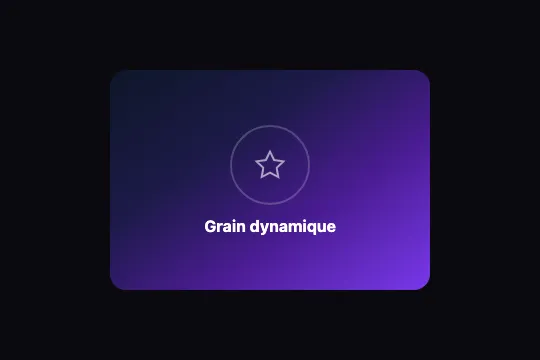
Canvas 2D regenerates random noise pixel by pixel every frame, composited in soft-light over a dark gradient — living grain, zero dependency.
Updated
This effect is part of Effect.Labs — 840 vanilla effects, some free, some premium. Backgrounds has 55 effects, including 7 free. Explore the category →
3 usage examples

How it works
The animation relies on direct pixel manipulation via ImageData. Each frame, ctx.createImageData(w, h) allocates a w × h × 4-byte buffer. The loop iterates over every pixel and writes a random value v = Math.random() * 40 to the R, G, and B channels (monochrome grain), with a fixed alpha of 35/255 ≈ 14%. The buffer is rendered in a single ctx.putImageData() call, then requestAnimationFrame immediately re-invokes the function — every frame is entirely new, with no persistence from the previous one.
The grain layer sits above the CSS gradient (linear-gradient(145deg, #0f172a → #7c3aed)) with mix-blend-mode: soft-light. This blend mode preserves deep shadows while brightening midtones — the grain feels organic and integrated rather than pasted on. Global layer opacity is fixed at 0.35 via CSS; both parameters (blend-mode and opacity) act in tandem to control grain visibility.
The canvas resizes dynamically: resize() reads the parent's dimensions via getBoundingClientRect() and updates canvas.width / canvas.height on every resize event. The ImageData buffer is allocated at current dimensions each frame — no stretching artifacts even after a container size change.
Accessibility
- prefers-reduced-motion: not implemented in the code — the RAF runs continuously even when the OS requests reduced motion. For accessible integrations, add
if (matchMedia('(prefers-reduced-motion:reduce)').matches) return;before the firstdrawGrain()call. - The
<canvas>does not carryaria-hidden="true"in the original code — screen readers may announce an empty canvas element. Recommended: addaria-hidden="true"to the canvas. - Overlay content (
.ng-graingr-content) is in the normal DOM flow: headings and text elements are readable by screen readers independently of the canvas. - No interactive elements in the effect — no keyboard navigation issues or focus traps.
- Text contrast over the dark gradient: the
#0f172a → #7c3aedbackground yields a ratio > 4.5:1 with white text, meeting WCAG AA.
Browser compatibility
Requires Canvas 2D Context, ImageData, and requestAnimationFrame — supported in all modern browsers since 2015.
If canvas is unsupported or the 2D context fails (GPU power-saving mode), the function returns silently — the CSS gradient remains visible as the background.
The code
HTML structure to paste into your page (the CSS + JS come with Premium):
<div class="ng-graingr-scene">
  <div class="ng-graingr-bg"></div>
  <canvas class="ng-graingr-noise" id="ngGrainCanvas" width="320" height="220"
          aria-hidden="true"></canvas>
  <!-- Optional: overlay content -->
  <div class="ng-graingr-content">
    <div class="ng-graingr-circle">
      <svg viewBox="0 0 24 24" aria-hidden="true">
        <polygon points="12 2 15.09 8.26 22 9.27 17 14.14 18.18 21.02 12 17.77 5.82 21.02 7 14.14 2 9.27 8.91 8.26 12 2"></polygon>
      </svg>
    </div>
    <h3>Your title</h3>
  </div>
</div>The full HTML + CSS + JS of Grain Gradient, ready to paste — plus all 840 effects. Or $299 once, lifetime access.
Customize
Options passed to the API or data-* attributes:
| Option / property | Default | Effect |
|---|---|---|
| opacity: .35 (.ng-graingr-noise) | 0.35 | Overall grain layer intensity. 0.20 = very subtle, 0.55 = assertive grain. |
| mix-blend-mode (.ng-graingr-noise) | soft-light | Grain blend mode over the gradient. overlay = stronger contrast, luminosity = color-neutral grain, screen = luminous grain. |
| background (.ng-graingr-bg) | linear-gradient(145deg, #0f172a, #7c3aed) | Background gradient — change colors and angle (e.g. 90deg) for your brand palette. |
| Math.random() * 40 (JS, drawGrain) | 40 | Noise amplitude: max brightness of grain pixels (0–255). 20 = fine subtle grain, 80 = coarse high-contrast grain. |
| data[i+3] = 35 (JS, drawGrain) | 35 | Per-pixel grain alpha (0–255). 20 = near-transparent, 80 = opaque grain. Works together with CSS opacity. |
| border-radius (.ng-graingr-scene) | 16px | Scene corner rounding. 0 = full-bleed with no rounding, 24px = pronounced card look. |
FAQ
createPattern() + fillRect() to cover the large surface..ng-graingr-bg (background: linear-gradient(…)). Modify colors, angle, or add extra stops. The grain canvas is transparent and composites in soft-light on top, regardless of the gradient underneath.id (ngGrainCanvas). For multiple instances, extract the logic into a reusable function: function initGrain(canvas) { var ctx = canvas.getContext('2d'); … } and call it for each canvas. The effect is stateless per frame — no global variable is shared between instances.