Starry Night

Pure CSS starry sky: 50 twinkling stars and 3 shooting stars driven by keyframes — no canvas, no dependency.
Updated
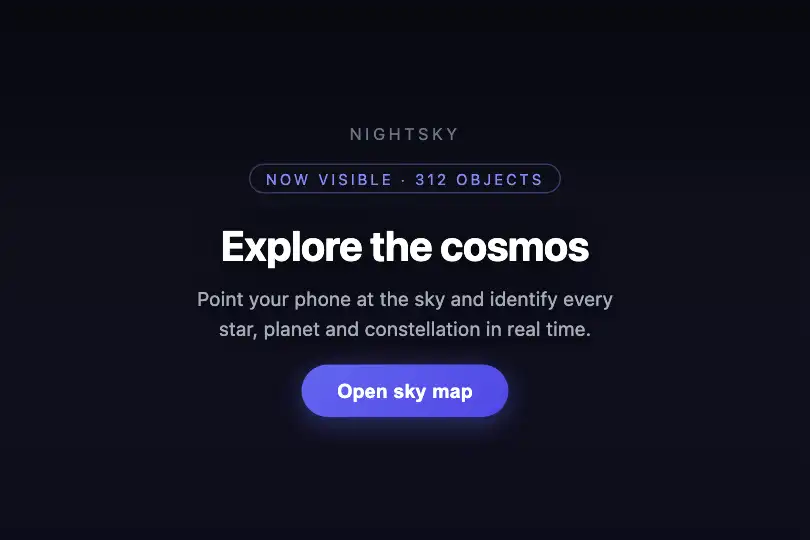
This effect is part of Effect.Labs — 840 vanilla effects, some free, some premium. Backgrounds has 55 effects, including 7 free. Explore the category →
3 usage examples
How it works
The effect relies entirely on CSS and 50 <div class="star"> elements (~20% carrying star-large), absolutely positioned inside a .bg-starry container with a #0a0a0f → #1a1a2e linear gradient. No canvas, no library.
Twinkling is produced by @keyframes twinkle: each star oscillates between opacity 0.3 and opacity 1 while scaling from scale(1) to scale(1.2). The JS assigns a random animation-delay (0–3 s) and animation-duration (2–4 s) to each star so they don't flash in unison. Large stars add a diffuse white box-shadow to simulate magnitude.
The three shooting stars (.shooting-star) are thin 100 × 2 px bands with a white → transparent gradient. The @keyframes shoot animation translates them 200 px in X and 100 px in Y while fading their opacity. A ::before pseudo-element (6 × 6 px with box-shadow) forms the glowing head. Delays are staggered (j × 3 + random) to prevent simultaneous appearances.
The JS runs as an IIFE targeting document.getElementById('starryBg') and programmatically injects stars and shooting stars via createElement / appendChild. No RAF loop, no listeners: after the initial injection, all animation is driven by the browser's CSS engine — zero CPU at runtime.
Accessibility
- prefers-reduced-motion not implemented: the code does not detect this OS preference. For public-facing sites, add
@media (prefers-reduced-motion: reduce) { .star, .shooting-star { animation: none; } }to freeze animations. - The
.bg-starrycontainer has noaria-hiddenattribute by default — addaria-hidden="true"if the effect is purely decorative so screen readers ignore it. - Dark background (
#0a0a0f): white overlay text achieves a contrast ratio ≥ 15:1 (WCAG AAA) with no extra effort. - No interactive elements in the effect — no focus management needed, the page remains fully keyboard-navigable.
- Star
<div>elements are plain DOM nodes with no role or text content: they are transparent to assistive technologies.
Browser compatibility
Requires CSS Animations and position absolute — supported in all modern browsers since 2015.
If JS is disabled, the pre-rendered HTML block (50 stars and 3 shooting stars with inline styles) still displays and CSS animations run — only the random positioning per load is absent.
The code
HTML structure to paste into your page (the CSS + JS come with Premium):
<div class="bg-starry" id="starryBg" style="width:100%;min-height:300px;">
  <!-- JS injects .star, .star-large and .shooting-star elements -->
  <!-- Optional: overlay content with position absolute + z-index > 0 -->
</div>The full HTML + CSS + JS of Starry Night, ready to paste — plus all 840 effects. Or $299 once, lifetime access.
Customize
Options passed to the API or data-* attributes:
| Option / property | Default | Effect |
|---|---|---|
| Star count (JS loop i < 50) | 50 | Change 50 to adjust sky density: 30 = sparse, 100 = dense Milky Way. |
| star-large ratio (JS threshold 0.8) | 0.8 | Adjust Math.random() > 0.8: 0.5 gives 50% large bright stars, 0.95 gives ~5% for a minimalist sky. |
| Shooting star count (JS loop j < 3) | 3 | Change 3: 1 for subtle, 6 for a meteor shower night. |
| Sky gradient colors (CSS .bg-starry background) | #0a0a0f → #1a1a2e | Swap gradient stops: #050820 → #0a1545 for deep blue, #0d0010 → #1a0028 for deep purple. |
| Trail length (CSS .shooting-star width) | 100px | 60 px = subtle trace, 200 px = spectacular long trail. |
| Flight distance (CSS @keyframes shoot 20%) | translateX(200px) translateY(100px) | Adjust the 20% keyframe values to change the direction and length of each shooting star's flight path. |
FAQ
<div> elements and CSS keyframe animations. No canvas, no WebGL, no npm dependency — copy the HTML, CSS, and JS and it's ready.for (var j = 0; j < 3; j++) by changing 3 to the desired count (e.g. 6). Delays are automatically staggered (j × 3 s) to prevent simultaneous appearances.