Hiking shoes
Trailblazer GTX Mid
Ref. MV-TBZ-240 · Olive Green · EU 42
119 €
In stock · Ships in 24h
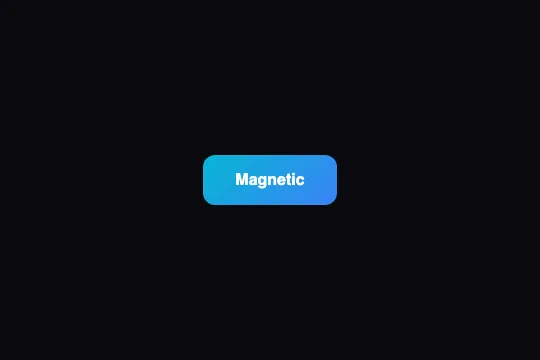
An Add-to-cart button that draws the cursor closer on hover, then launches the item into the cart with a particle burst — the micro-interaction that makes buying satisfying with every click.
Updated
This effect is free — the Buttons category contains 27 effects total, including 2 free. Effect.Labs has 840 vanilla effects. Explore the category →
The magnetic effect relies on pointermove: each time the cursor moves over the button, the script computes the X and Y offsets from the button's centre (getBoundingClientRect()), then applies transform: translate(mx × 0.22, my × 0.35). The two coefficients are intentionally asymmetric — the vertical pull (0.35) is stronger than the horizontal one (0.22), making the button lean naturally toward the cursor. On pointerleave, the transform resets to nothing and the CSS transition handles the smooth return. The whole thing is disabled when prefers-reduced-motion: reduce is active.
On click, the script measures the positions of the button and the cart relative to the scene container (scene.getBoundingClientRect()). An .atc-fly element is created at the button's position and animated via a requestAnimationFrame loop along a quadratic Bézier curve: start at the button centre, control point lifted midway (cy = min(y0, y1) − 70), end at the cart centre. An ease-in-out easing is applied to each curve parameter; the icon shrinks in flight (scale from 1 to 0.45) over 620 ms, then the element is removed from the DOM.
At the same time, 14 <span class="atc-particle"> elements are injected at the button's position — each receives a random angle and distance via the CSS custom properties --dx and --dy of the atc-burst keyframe, which fans them outward before fading them out in 650 ms. The counter ([data-atc-count]) is incremented and fires the CSS animation atc-pop (1.6× scale-up then back). The cart icon (.atc-cart) fires atc-bump — a slight rise and tilt that confirms receipt.
[data-atc-btn] is a standard <button type="button"> — reachable by keyboard (Tab), activated by Space and Enter, and correctly announced by screen readers with no extra ARIA needed.prefers-reduced-motion: reduce, the magnetic effect and the flight are disabled — only the counter increments. The CSS sets transition: none on the button, and the script detects the media query at load.[data-atc-count] carries an aria-label ("Items in cart") updated on each click. A screen reader announces the counter value without needing an extra aria-live region if the button is focused..atc-cart), the flying icon (.atc-fly) and particles (.atc-particle) carry aria-hidden="true" or are created without a role — they do not interfere with screen reading.Built on PointerEvent (pointermove, pointerleave) available since Chrome 55, Firefox 59, Safari 13, requestAnimationFrame, getBoundingClientRect and CSS custom properties (--dx, --dy). No external dependency.
Without JavaScript, the button renders normally and remains clickable — no micro-interaction, but the cart works. On mobile, the magnetic effect is inactive (there is no hover without a pointer); the flight and counter work normally on touch.
Copy the three blocks into your page. No dependencies.
<div class="fx-0807-root">
  <div class="atc-scene" data-atc data-icon="🎧">
    <div class="atc-cart-wrap">
      <span class="atc-cart" aria-hidden="true">🛒</span>
      <span class="atc-count" data-atc-count aria-label="Items in cart">0</span>
    </div>
    <div class="atc-product">
      <div class="atc-thumb" aria-hidden="true">🎧</div>
      <div class="atc-info">
        <h3>Studio Pro Headphones</h3>
        <span class="atc-price">$149</span>
        <div><button type="button" class="atc-btn" data-atc-btn>Add to cart</button></div>
      </div>
    </div>
  </div>
</div>.fx-0807-root,
.fx-0807-root *,
.fx-0807-root *::before,
.fx-0807-root *::after {
box-sizing: border-box
}
.fx-0807-root {
display: flex;
align-items: center;
justify-content: center;
width: 100%;
min-height: 200px;
position: relative;
background: rgb(26, 26, 36);
color: rgb(255, 255, 255);
font-family: sans-serif;
}
.atc-scene {
position: relative;
width: 100%;
min-height: 240px;
border-radius: 14px;
overflow: hidden;
isolation: isolate;
background: radial-gradient(circle at 70% 20%, #1c1330, #0b0a14 75%);
padding: 22px;
box-sizing: border-box;
}
.atc-cart {
position: absolute;
top: 16px;
right: 18px;
font-size: 26px;
line-height: 1;
}
.atc-count {
position: absolute;
top: -8px;
right: -10px;
min-width: 18px;
height: 18px;
padding: 0 4px;
box-sizing: border-box;
background: #ef4444;
color: #fff;
font-size: 11px;
font-weight: 700;
border-radius: 999px;
display: grid;
place-items: center;
}
.atc-cart-wrap {
position: absolute;
top: 16px;
right: 18px;
}
.atc-product {
display: flex;
align-items: center;
gap: 16px;
max-width: 360px;
margin-top: 34px;
}
.atc-thumb {
width: 78px;
height: 78px;
border-radius: 14px;
background: linear-gradient(135deg, #6366f1, #d946ef);
display: grid;
place-items: center;
font-size: 38px;
flex: none;
}
.atc-info h3 {
margin: 0 0 2px;
font-size: 16px;
color: #fff;
}
.atc-info .atc-price {
color: #a78bfa;
font-weight: 700;
}
.atc-btn {
margin-top: 14px;
border: 0;
cursor: pointer;
background: linear-gradient(135deg, #f59e0b, #ef4444);
color: #fff;
font-weight: 700;
font-size: 14px;
padding: 11px 20px;
border-radius: 10px;
transition: transform .12s, box-shadow .2s;
will-change: transform;
}
.atc-btn:hover {
box-shadow: 0 8px 24px rgba(245, 158, 11, .35);
}
.atc-btn:active {
transform: scale(.96);
}
.atc-particle {
position: absolute;
width: 7px;
height: 7px;
border-radius: 50%;
background: #fbbf24;
pointer-events: none;
transform: translate(-50%, -50%);
animation: atc-burst .6s ease-out forwards;
z-index: 4;
}
.atc-fly {
position: absolute;
font-size: 30px;
pointer-events: none;
z-index: 5;
transform: translate(-50%, -50%);
}
.atc-pop {
animation: atc-pop .32s ease;
}
.atc-bump {
animation: atc-bump .4s ease;
}
@media (prefers-reduced-motion: reduce) {
.atc-btn {
transition: none;
}
}
@keyframes atc-burst {
to {
transform: translate(-50%, -50%) translate(var(--dx), var(--dy)) scale(.2);
opacity: 0;
}
}
@keyframes atc-pop {
0% {
transform: scale(1);
}
40% {
transform: scale(1.6);
}
100% {
transform: scale(1);
}
}
@keyframes atc-bump {
0%,
100% {
transform: translateY(0);
}
30% {
transform: translateY(-7px) rotate(-8deg);
}
}(function() {
(function() {
var reduceMotion = window.matchMedia('(prefers-reduced-motion: reduce)').matches;
document.querySelectorAll('[data-atc]').forEach(function(scene) {
var btn = scene.querySelector('[data-atc-btn]');
var cart = scene.querySelector('.atc-cart');
var countEl = scene.querySelector('[data-atc-count]');
var icon = scene.dataset.icon || '🛍️';
var n = 0;
if (!reduceMotion) {
btn.addEventListener('pointermove', function(e) {
var r = btn.getBoundingClientRect();
var mx = e.clientX - (r.left + r.width / 2),
my = e.clientY - (r.top + r.height / 2);
btn.style.transform = 'translate(' + (mx * 0.22) + 'px,' + (my * 0.35) + 'px)';
});
btn.addEventListener('pointerleave', function() {
btn.style.transform = '';
});
}
function bump() {
n++;
countEl.textContent = n;
countEl.classList.remove('atc-pop');
void countEl.offsetWidth;
countEl.classList.add('atc-pop');
cart.classList.remove('atc-bump');
void cart.offsetWidth;
cart.classList.add('atc-bump');
}
btn.addEventListener('click', function() {
if (reduceMotion) {
bump();
return;
}
var br = btn.getBoundingClientRect(),
cr = cart.getBoundingClientRect(),
sr = scene.getBoundingClientRect();
var x0 = br.left + br.width / 2 - sr.left,
y0 = br.top + br.height / 2 - sr.top;
var x1 = cr.left + cr.width / 2 - sr.left,
y1 = cr.top + cr.height / 2 - sr.top;
for (var i = 0; i < 14; i++) {
var p = document.createElement('span');
p.className = 'atc-particle';
p.style.left = x0 + 'px';
p.style.top = y0 + 'px';
var a = Math.random() * 6.2832,
d = 24 + Math.random() * 46;
p.style.setProperty('--dx', Math.cos(a) * d + 'px');
p.style.setProperty('--dy', Math.sin(a) * d + 'px');
scene.appendChild(p);
(function(el) {
setTimeout(function() {
el.remove();
}, 650);
})(p);
}
var chip = document.createElement('span');
chip.className = 'atc-fly';
chip.textContent = icon;
chip.style.left = x0 + 'px';
chip.style.top = y0 + 'px';
scene.appendChild(chip);
var t0 = performance.now(),
dur = 620,
cx = (x0 + x1) / 2,
cy = Math.min(y0, y1) - 70;
(function anim(t) {
var k = Math.min((t - t0) / dur, 1);
var e = k < .5 ? 2 * k * k : 1 - Math.pow(-2 * k + 2, 2) / 2,
m = 1 - e;
var x = m * m * x0 + 2 * m * e * cx + e * e * x1;
var y = m * m * y0 + 2 * m * e * cy + e * e * y1;
chip.style.transform = 'translate(-50%,-50%) translate(' + (x - x0) + 'px,' + (y - y0) + 'px) scale(' + (1 - 0.55 * e) + ')';
chip.style.opacity = String(1 - 0.25 * e);
if (k < 1) requestAnimationFrame(anim);
else {
chip.remove();
bump();
}
})(t0);
});
});
})();
})();Options passed to the API or data-* attributes:
| Option / property | Default | Effect |
|---|---|---|
Flying icon — data-icon attribute on .atc-scene |
🛍️ | Emoji shown during the flight to the cart. Replace it with your product emoji (🎧, 👟, 📚…) for a more precise visual confirmation. |
Magnetic strength — factors 0.22 (X) and 0.35 (Y) in the JS |
0.22 / 0.35 | Increase both for stronger attraction; lower them for a near-invisible effect. The X/Y asymmetry gives the natural feel — balance them for isotropic pull. |
Flight duration — constant dur = 620 in the JS |
620 ms | Cut to 400 ms for a snappy feel; raise to 900 ms for a slow, dramatic arc. The Bézier curve and easing are recalculated on every click so changes take effect immediately. |
Particle count — loop for (var i = 0; i < 14; i++) |
14 | 8 particles give a discreet burst; 24 a more festive effect. Beyond 30, particles may feel heavy on low-end mobile. |
Particle colour — .atc-particle { background: #fbbf24 } in the CSS |
#fbbf24 (amber) | Match your brand colour. Use a gradient or multiple classes for multicoloured particles (adjust the creation loop in the JS). |
Button style — .atc-btn in the CSS |
amber-to-red gradient, padding 11 × 20 px | Replace the gradient and colours without touching the JS. The magnetic effect adapts to any button size automatically via getBoundingClientRect(). |
No — pointermove on mobile corresponds to an active finger drag, not a hover. The button does not shift on a mere finger pass. This is expected: on mobile there is no hover before a touch. The flight and counter work normally on tap.
Yes. Place multiple [data-atc-btn] elements inside the same .atc-scene[data-atc]: each button computes its position relative to the scene and sends its icon to the same .atc-cart. The flying icon is taken from scene.dataset.icon — for per-product icons, read btn.dataset.icon in the JS instead.
Dispatch a click on the [data-atc-btn] button from your code: btn.dispatchEvent(new MouseEvent('click', { bubbles: true })). The script uses getBoundingClientRect() to calculate the start position — no coordinates needed. The flight will depart from the button's centre regardless of where it is on the page.