Pill Indicator
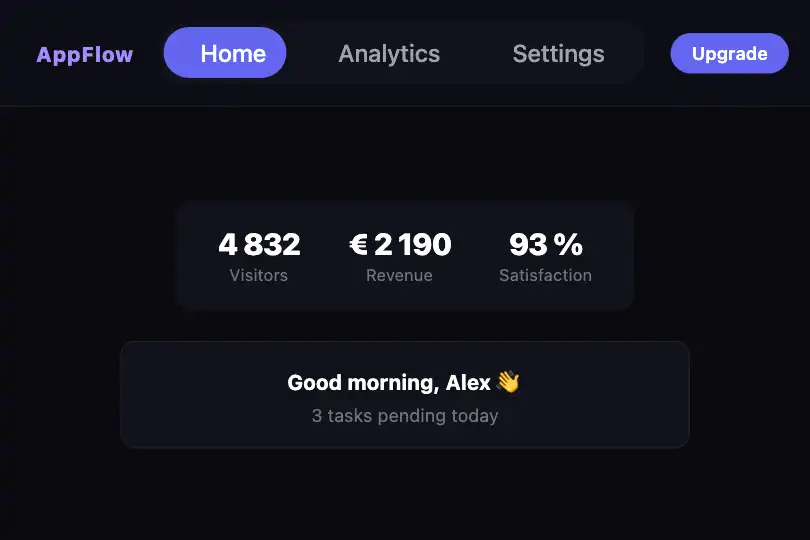
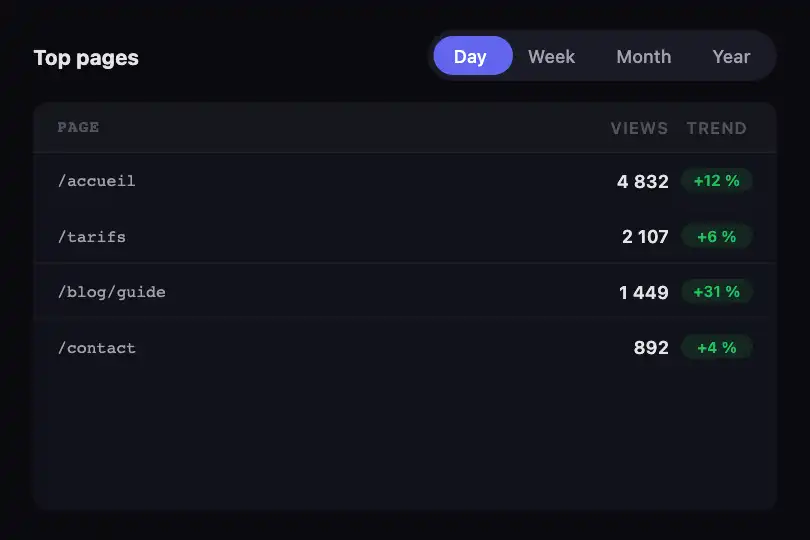
Animated pill indicator that slides to the active tab with a springy bounce — position computed at runtime via getBoundingClientRect, unlimited items.
Updated

This effect is part of Effect.Labs — 840 vanilla effects, some free, some premium. Navigation has 37 effects, including 4 free. Explore the category →
3 usage examples

How it works
The indicator (.pill-indicator) is an absolutely-positioned <div> inside the relative .pill-nav container. On each click, the script reads getBoundingClientRect() of the target item and the container, computes the left offset and copies the width, then assigns both values in px to the indicator's inline style. The CSS transition takes over and animates the movement.
The transition uses cubic-bezier(0.175, 0.885, 0.32, 1.275) over .3s — a back-out easing that produces a slight overshoot before settling, creating the bounce effect without any JS spring physics. Swapping it for ease-out or none removes the bounce entirely.
.pill-link spans carry position: relative; z-index: 1 to stay visually above the sliding indicator. The active item receives the active class (color #fff); inactive items stay in --text-secondary. The script initializes the indicator on the first item at load time via i.length > 0 && l(i[0]).
Accessibility
- prefers-reduced-motion not handled: the code has no motion preference check. Add
@media (prefers-reduced-motion: reduce) { .pill-indicator { transition: none } }to your stylesheet for motion-sensitive users. .pill-linkitems are<span>elements — not keyboard-focusable by default. For full accessibility, addrole="tab",tabindex="0", and akeydownhandler (Enter/Space) to each item..pill-navcarries norole="tablist"in the base code — add it if the indicator controls panel content along witharia-selectedandaria-controlsattributes.- Contrast: active text (white
#fff) on the pill background (#6366f1) reaches ~4.5:1 — borderline WCAG AA for normal text. Inactive text (#a1a1aaon#12121a) exceeds 7:1 — AAA. - No
aria-labelis set on the nav container in the base code — add one to match your use case (e.g.aria-label="Main navigation").
Browser compatibility
Uses getBoundingClientRect, addEventListener, and CSS transitions — supported in all modern browsers since 2019. Zero external dependencies.
If getElementById('pillNav') finds no element, the if (e && n) guard prevents any fatal JS error; items remain clickable but without the animated indicator.
The code
HTML structure to paste into your page (the CSS + JS come with Premium):
<div class="pill-nav" id="pillNav">
  <div class="pill-indicator" id="pillIndicator"></div>
  <span class="pill-link active" data-index="0">Home</span>
  <span class="pill-link" data-index="1">About</span>
  <span class="pill-link" data-index="2">Work</span>
</div>The full HTML + CSS + JS of Pill Indicator, ready to paste — plus all 840 effects. Or $299 once, lifetime access.
Customize
Options passed to the API or data-* attributes:
| Option / property | Default | Effect |
|---|---|---|
| background (.pill-indicator) | #6366f1 | Pill background color — hardcoded in the CSS, replace the value directly with your brand color. |
| --bg-card | #12121a | Background of the .pill-nav container. |
| --radius-full | 9999px | Rounding of the pill and container. 6px gives a rounded rectangular tab look. |
| --text-secondary | #a1a1aa | Text color of inactive items. |
| transition (.pill-indicator) | .3s cubic-bezier(.175,.885,.32,1.275) | Slide duration and easing. Use none to remove all animation, ease-out for a bounceless slide. |
| padding (.pill-link) | 0.5rem 1.5rem | Inner spacing of each item. Reduce to 0.4rem 1rem for a compact nav. |
| (extra item) | 3 items | Add as many spans as needed — getBoundingClientRect recomputes the exact position on every click, no hardcoded index. |
FAQ
getBoundingClientRect at click time — no index is hardcoded. Add or remove <span class="pill-link"> elements freely; the indicator follows automatically.i.length > 0 && l(i[0]) initializes on the first item. Replace i[0] with the desired index (e.g. i[2]), or use e.querySelector('.pill-link.active') to read the active state defined in the HTML.getElementById('pillNav') — one element per page. For multiple instances, give each a unique id and duplicate the logic block for each nav/indicator pair, or iterate over document.querySelectorAll('.pill-nav') and reference the indicator via DOM relation (nav.querySelector('.pill-indicator')).